Feature available for : 🔷 Facilitators 🟨 Administrators

Share/export a sequence...
...to Facilitators of a space...
On Glowbl you can create three kinds of reusable elements: Collaborative Notes Templates, Polls and Sequences.
Each element you create is automatically saved as Personal, which means you can create it in advance and use it freely in all your spaces, as many times as you like. If you want your collaborators (space facilitators) to have access to it too, simply publish a copy in the space of your choice, enabling them to use it in turns.
To share a copy of this sequence with all the other facilitators in a particular space, click on the name of the desired sequence ➜ click on the 3 dots in the top right-hand corner ➜ select Publish a copy in this space for facilitators. Facilitators will be able to find it by clicking on the Space filter.
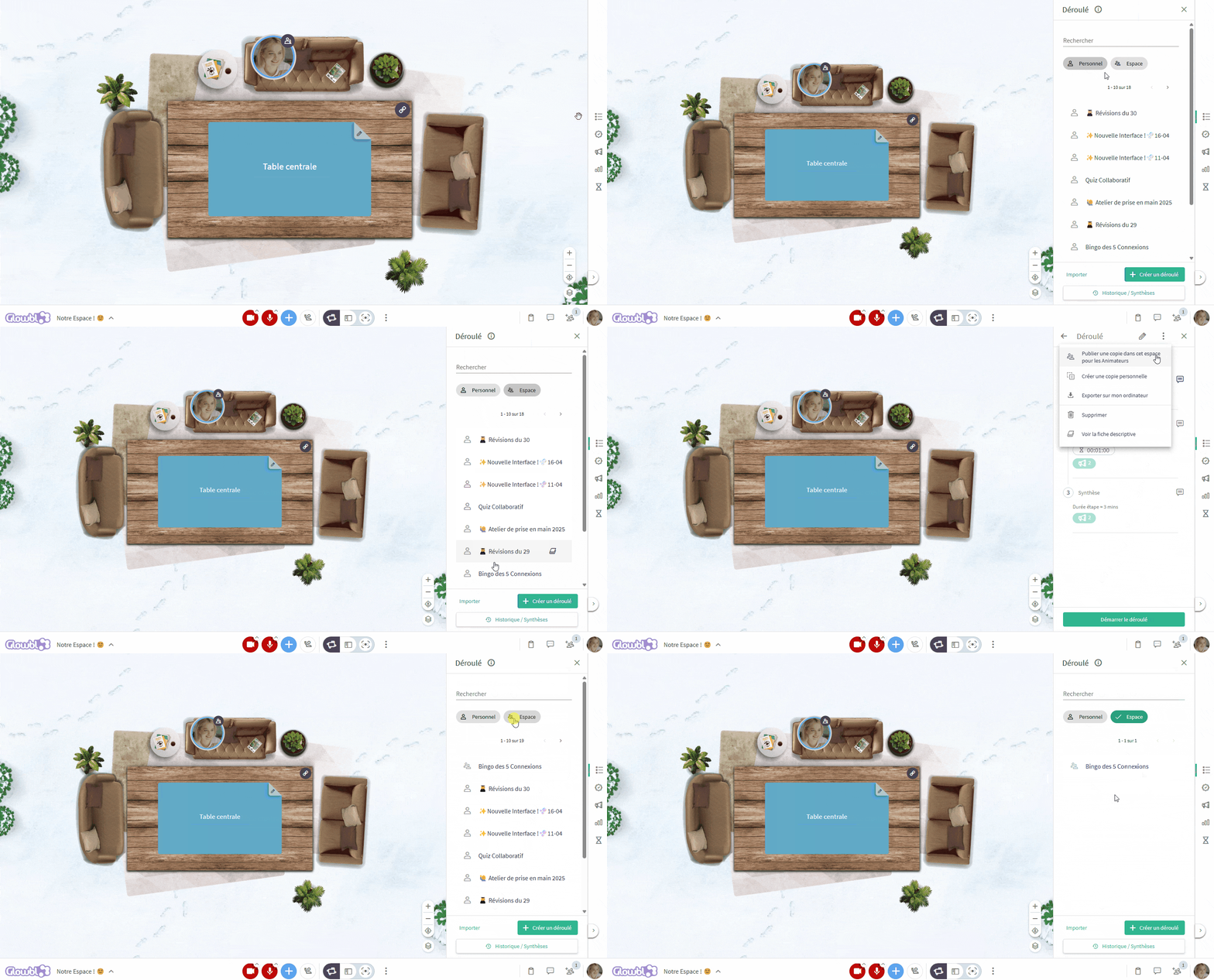

Note that this copy is independent of the original, so a change made to one will not affect the other.
...or to people outside my organization
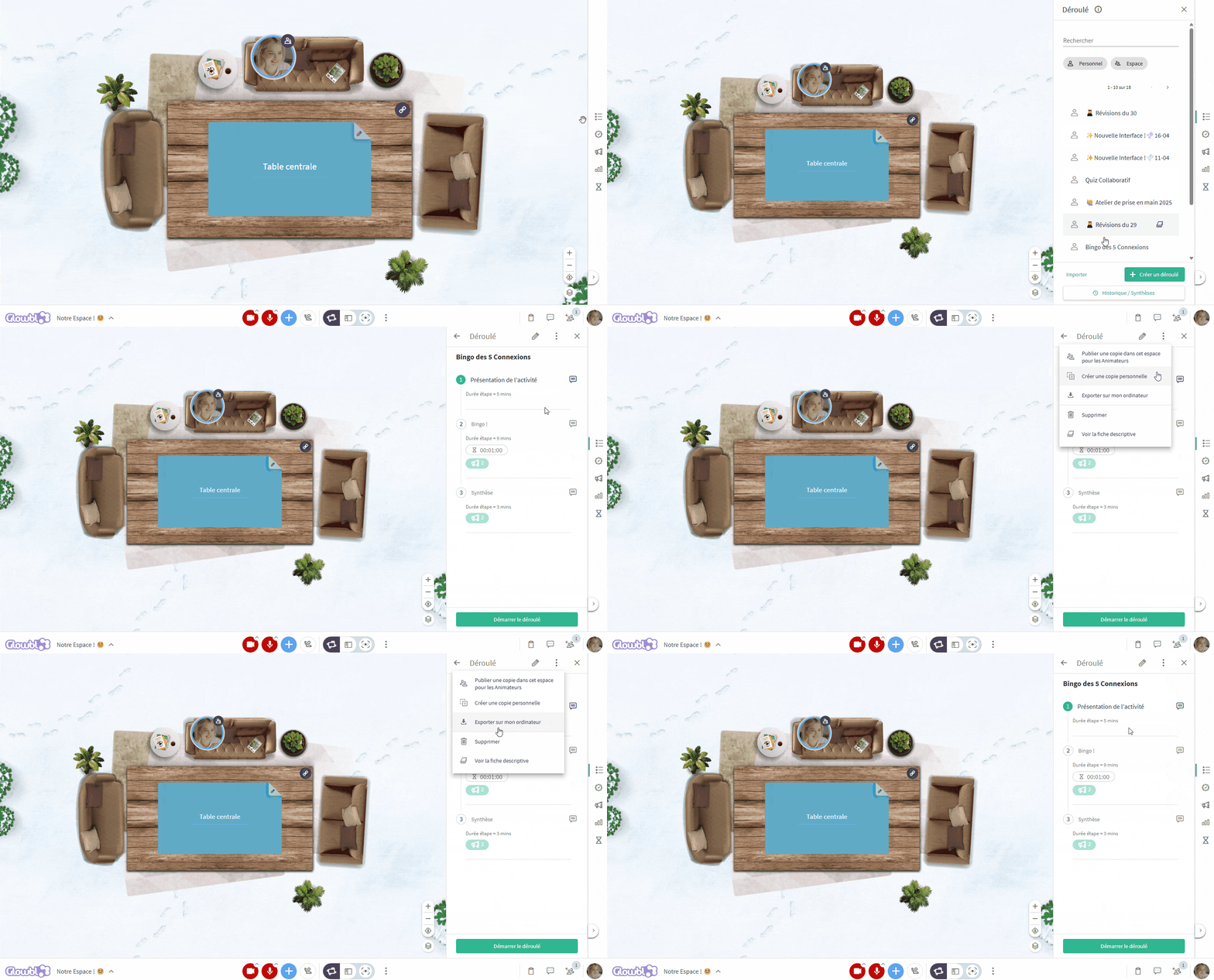
You can share, offer or even sell a turnkey training course to your community, or make a gallery of training courses available to all your employees in a resourcerie thanks to the course export function:
click on the name of the desired sequence ➜ click on the 3 dots in the top right-hand corner ➜ select Export to my computer ➜ Send the exported file (.DAT) by e-mail or by making it available on your website.
When you share a course, remember to fill in the Description Sheet, which will help future facilitators understand the objective and the different steps.
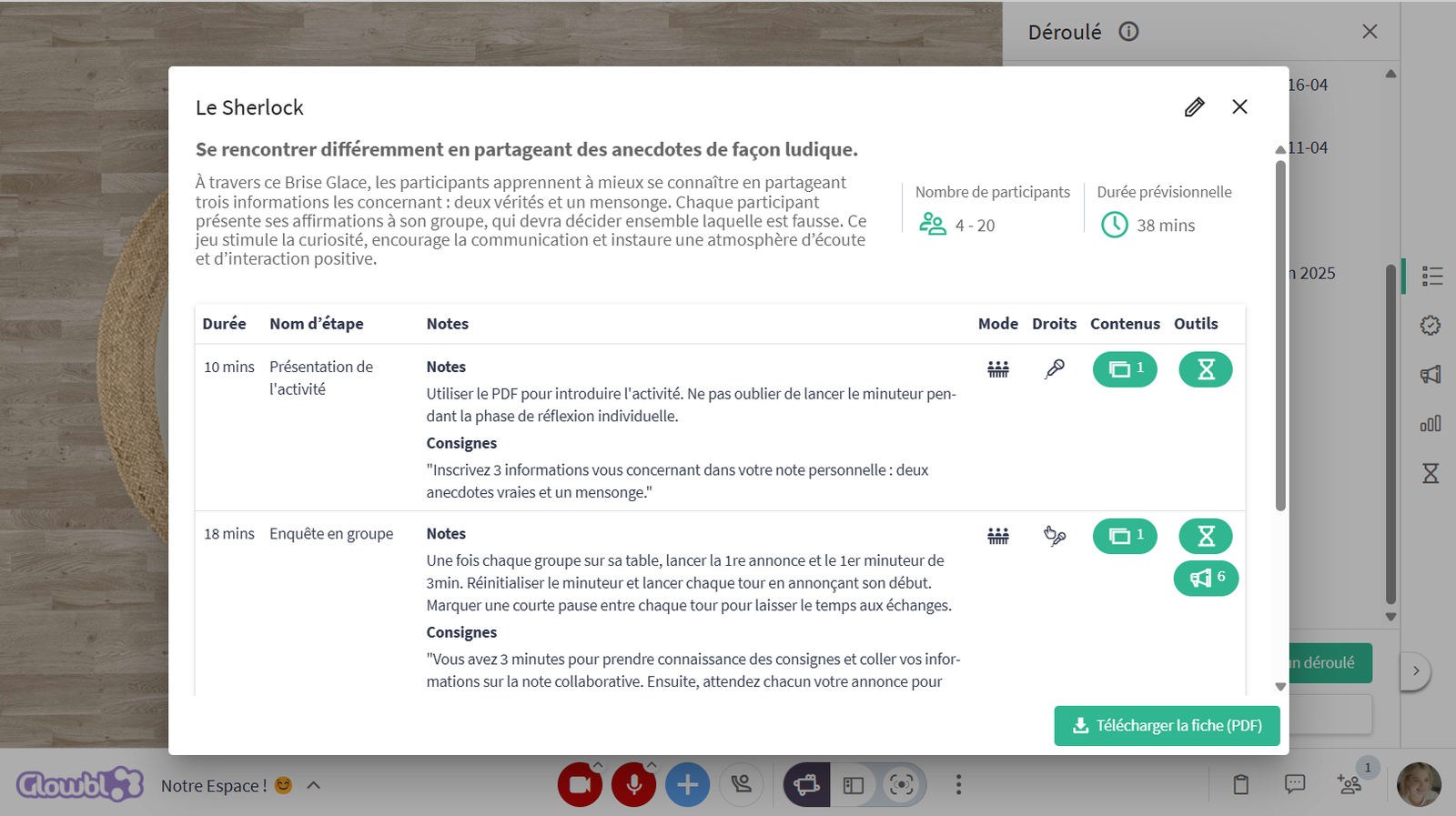
This sheet is accessible before and during the event, and can be downloaded.
💡Inspirations / import sequences
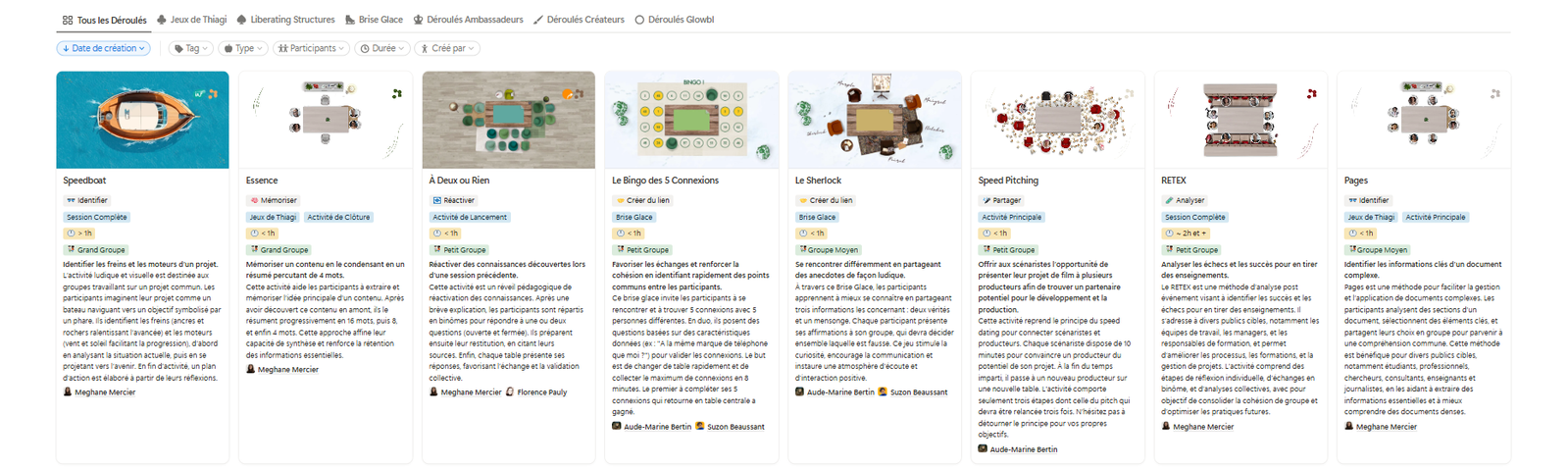
We've put together a gallery of sequences that you can access directly from your space:
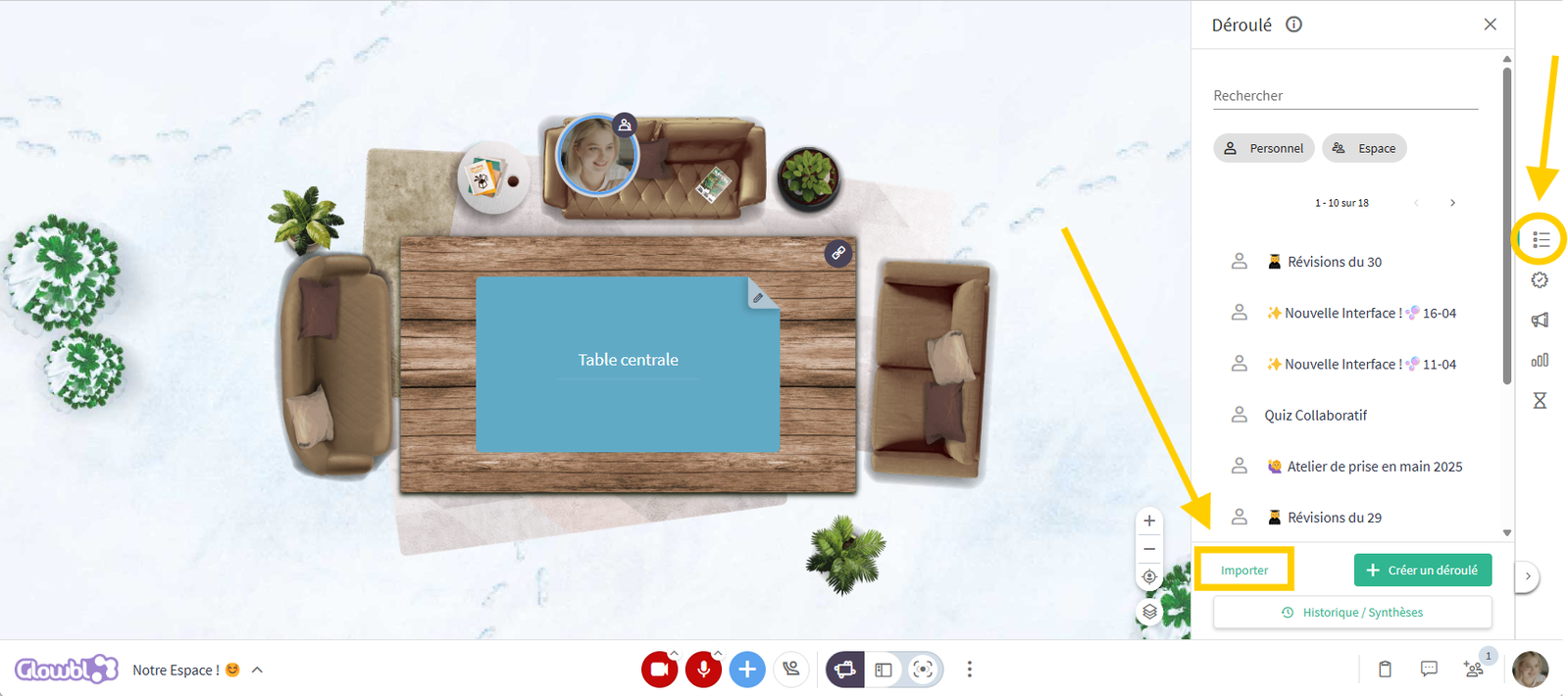
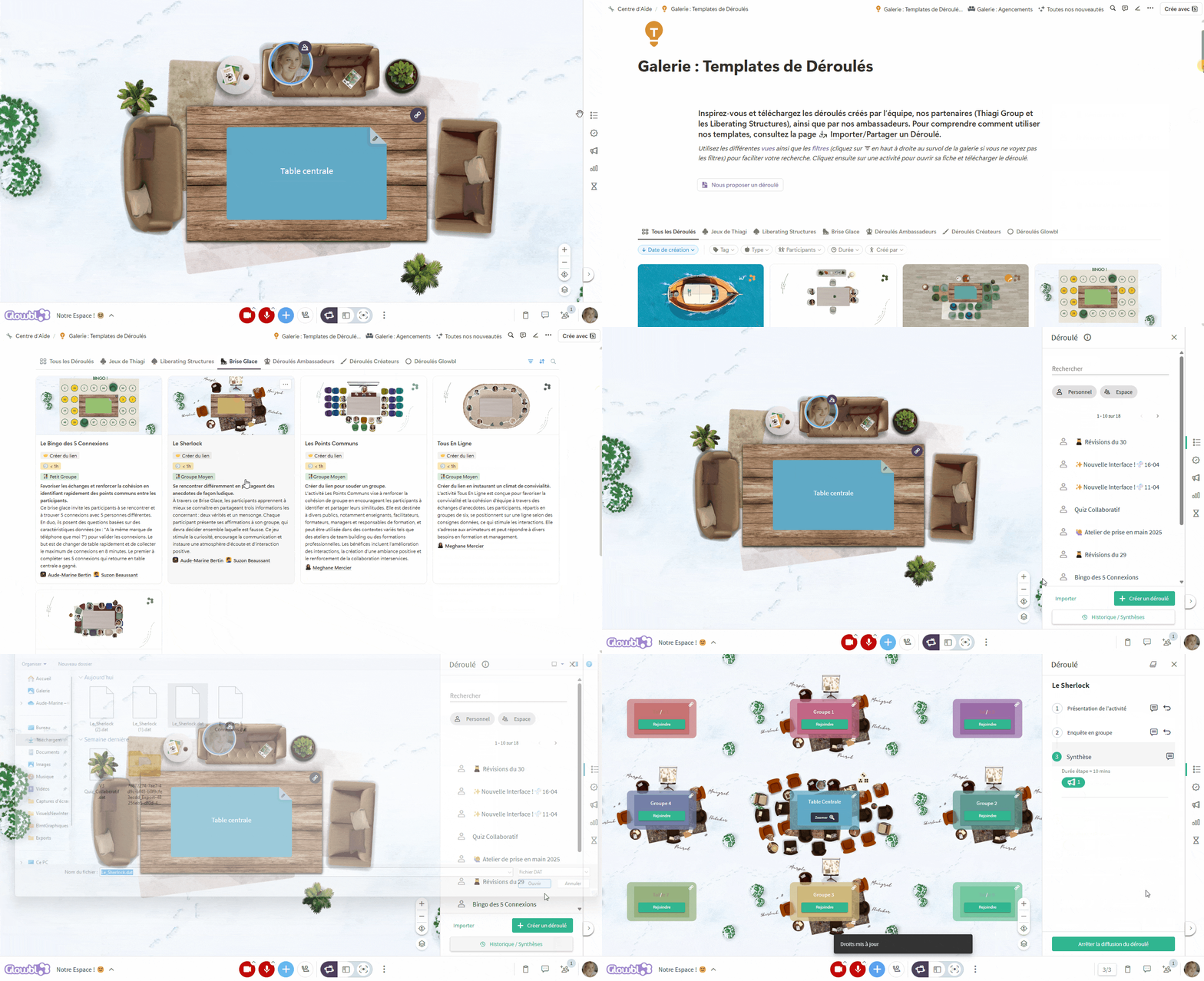
In the sequence tab on the right-hand sidebar, click on Import at bottom left ➜ select From template gallery ➜ Download the desired activity ➜ click again on Import ➜ select From my computer ➜ choose the downloaded sequence (.DAT) ➜ this will open directly and you can launch it.
Import steps from one sequence to another
By downloading our various models, you can then pick and choose from them to enrich your session.
Want to add a shifting debate to your session, or even an ice-breaker? No need to recreate the steps: simply download the sample sequences from our gallery, then simply choose a step from your own sequence, click on Import to the left of the Add a step button, and decide whether you want to add an ice-breaker step before or after your own sequence. Do the same with the shifting debate.


You may also be interested in these pages: