Feature available for: 🟢 Participants with specific rights 🔷 Facilitators 🟨 Administrators
To understand how to share and navigate between different types of content using the Table Library, first consult the  Projecting and managing content page.
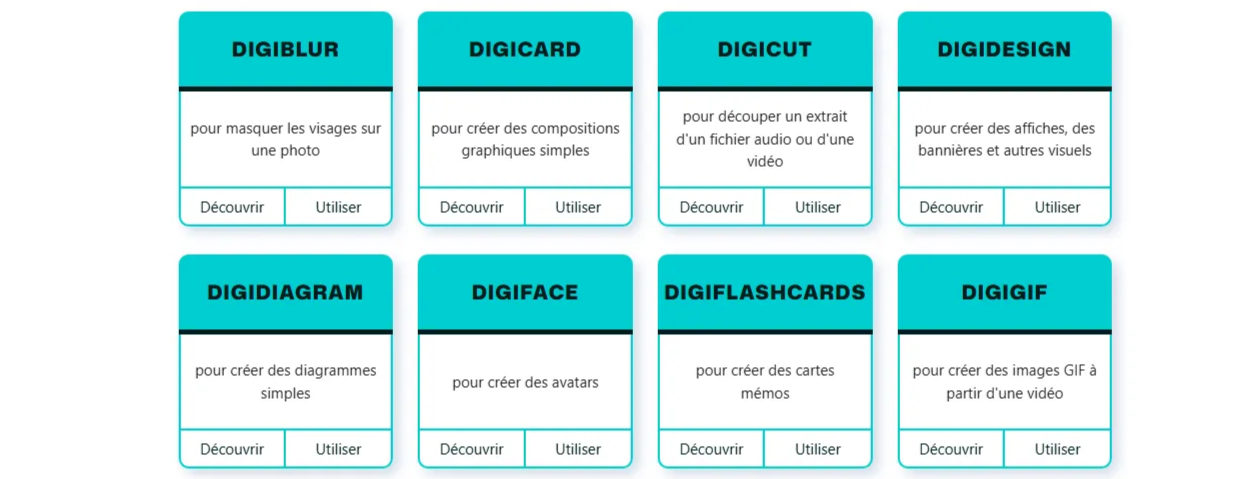
La Digitale designs and develops free digital tools for teachers. With a desire to be useful to the educational community, La Digitale offers responsible and free digital tools to accompany teaching and learning processes in presence and distance.
At Glowbl, we're big fans of La Digitale and regularly recommend certain tools to suit your needs and to replace paid tools such as Padlet, Wooclap, Kahoot, Canva...
For a better view of most of La Digitale's tools, consider switching to display mode: Enlarge content.
Share resources
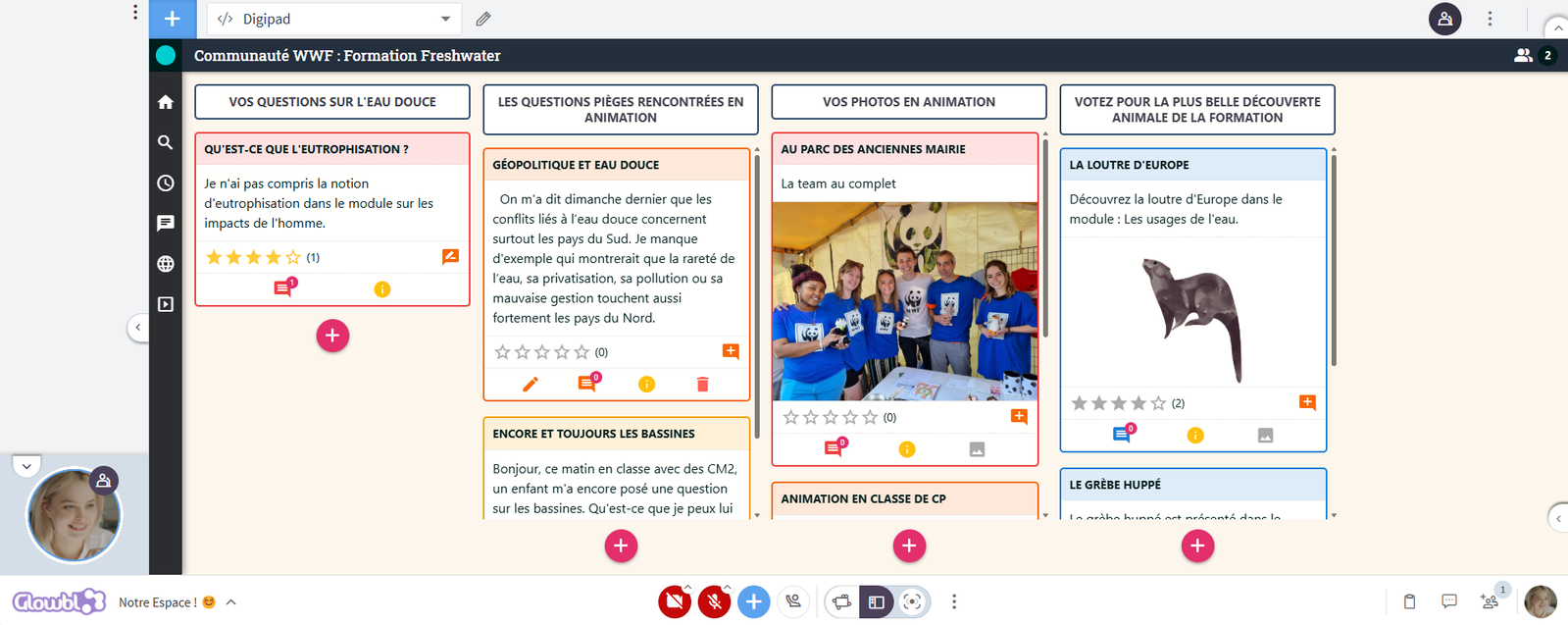
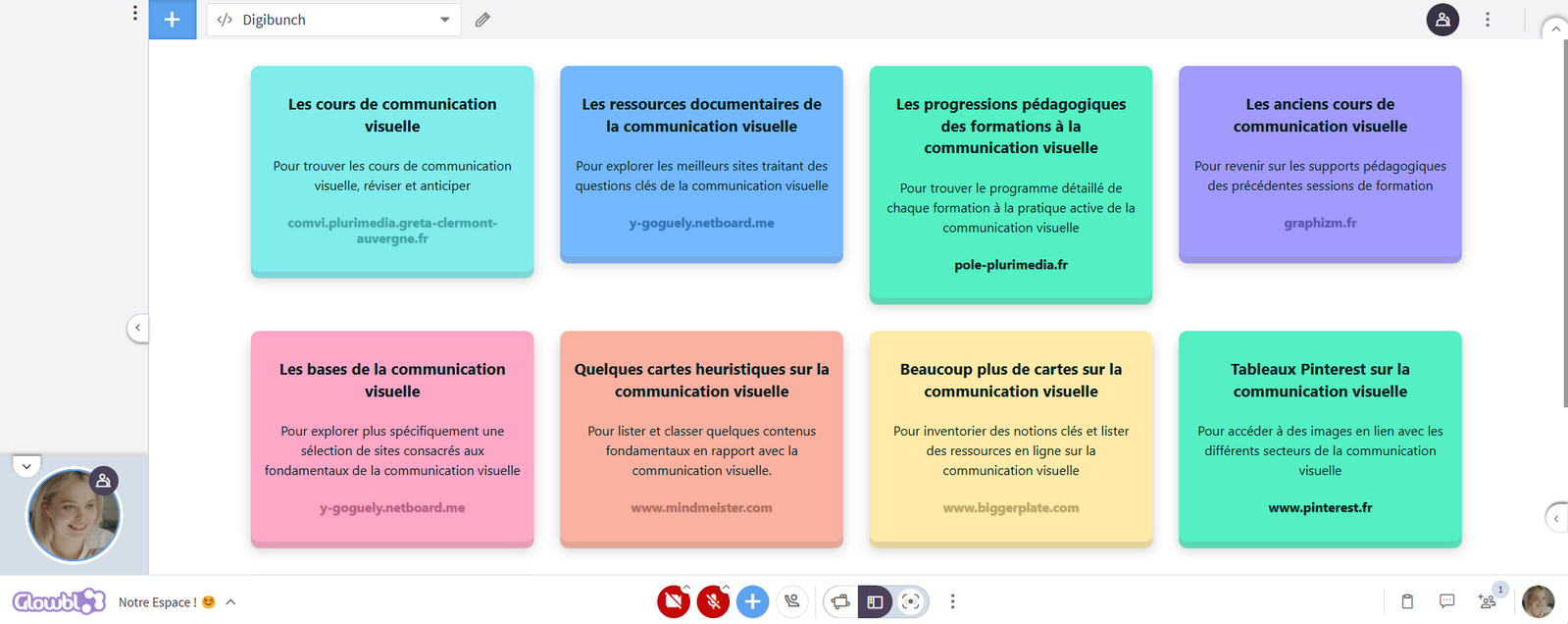
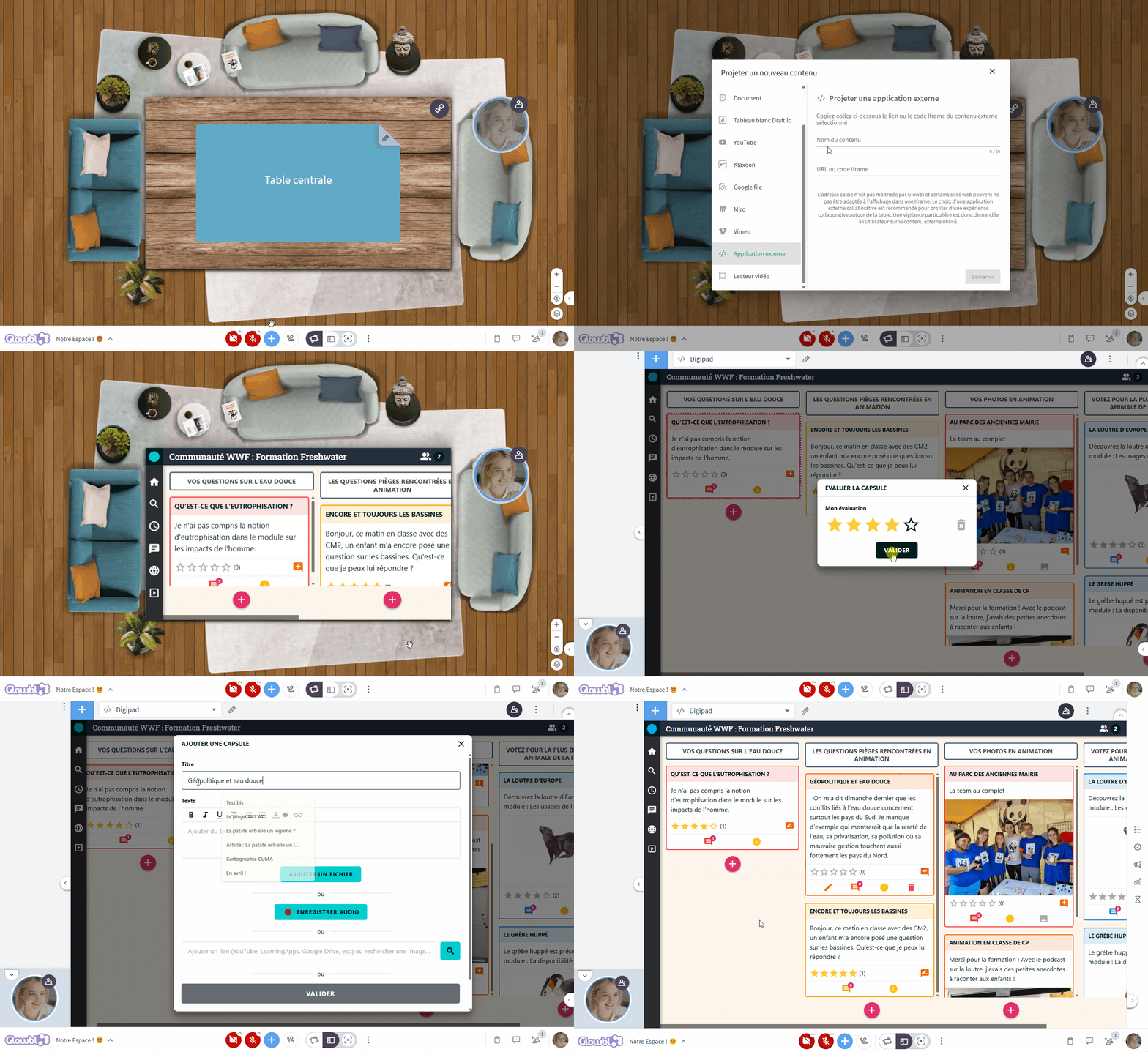
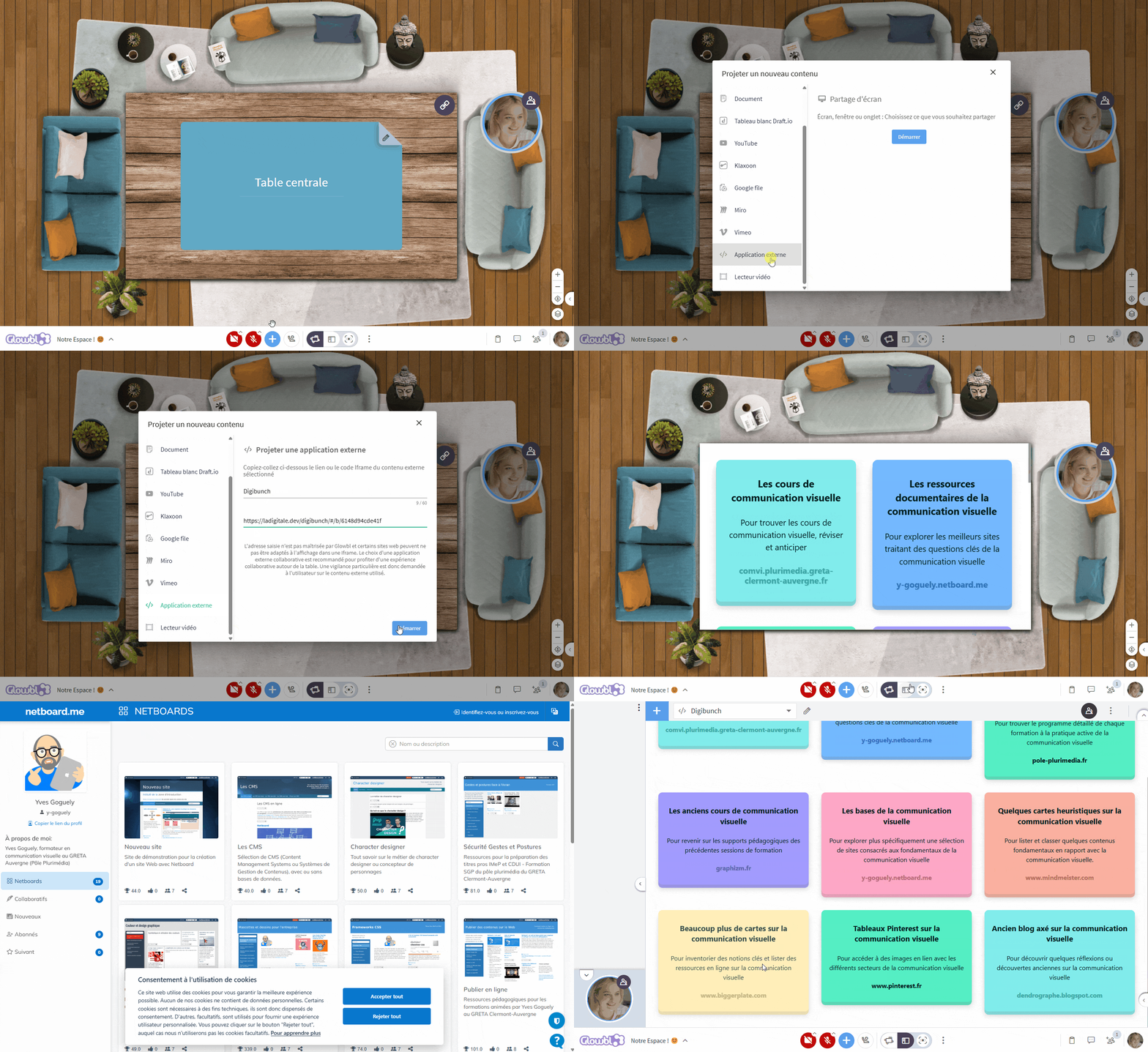
If you'd like an alternative to sharing resources in the chat, you can opt for Digibunch, which lets you group links together in pretty bouquets. The advantage? You can easily re-share them by e-mail under a single link. Another option is Digipad, a platform similar to Padlet, which lets you create a collaborative resource wall. Participants can add their own content directly from a Glowbl table.
Copy the URL of your Digipad, then paste it into External Application of the to display it on a table. Participants can enrich the wall by clicking on the pink plus at bottom right, add comments, assign notes to existing content and edit their pseudonym.
Copy the URL of your Digibunch, then paste it into External Application to display it on a table. The links will appear as colored cards, you can accompany them with images and descriptions. Note that when a participant clicks on a link, it opens in a new tab.
Question & gamify
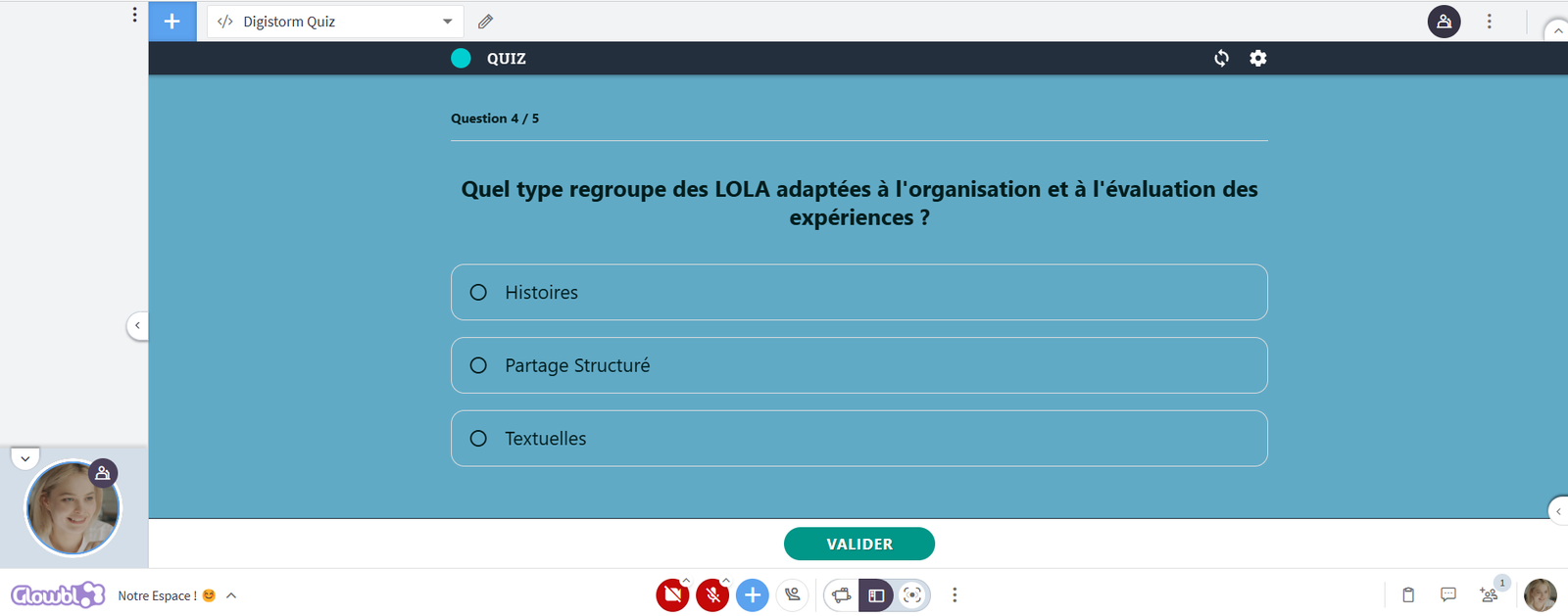
On Glowbl, questioning participants can be done by polling, moving around on mats, or moving post-it notes... However, a quiz can energize a course by stimulating engagement through competition. The Digistorm quiz option will remind regular users of Kahoot or Wooclap.
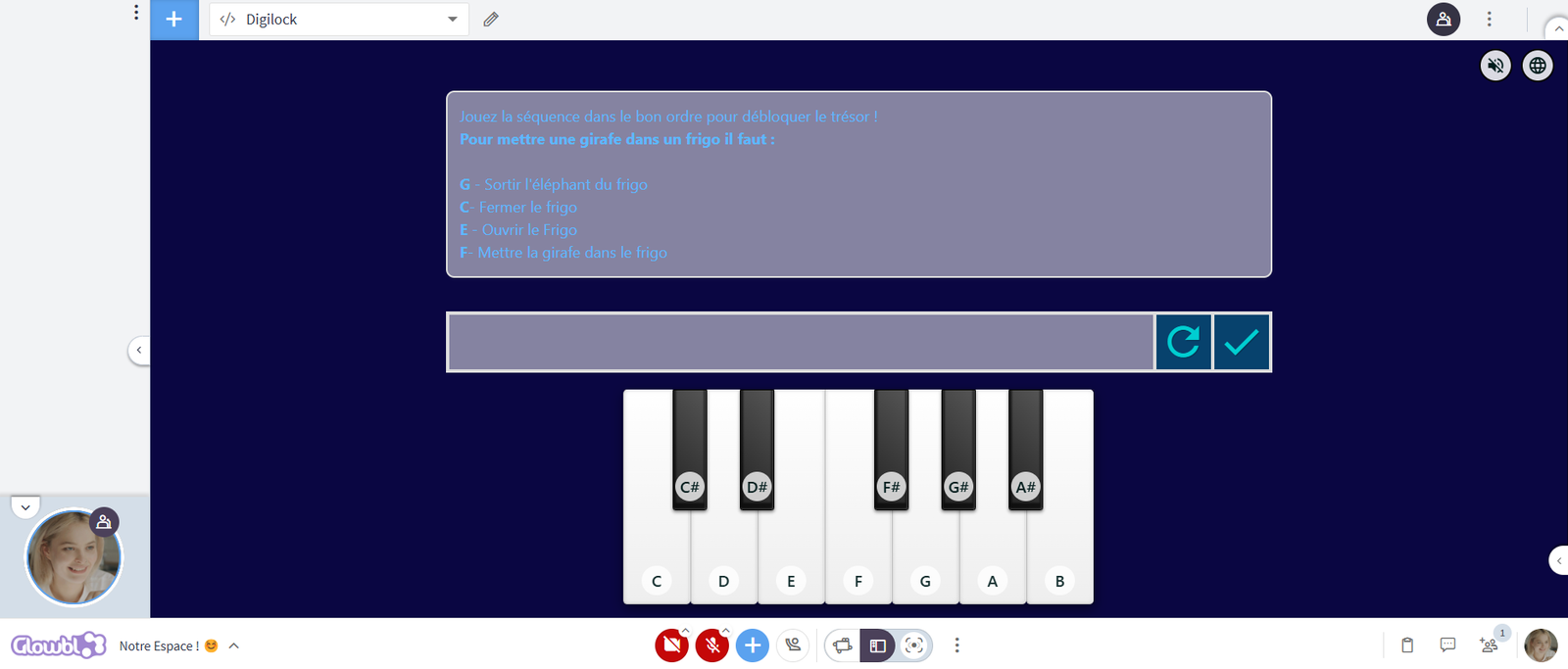
To take adaptive learning a step further, Digilocks can be used to "lock" certain tables. By integrating activities requiring a password, participants must solve challenges before accessing new content by changing tables. Digilock thus promotes progressive, fun learning thanks to 15 types of padlock, perfect for puzzles or educational escape games.
❓The Digistorm Questionnaire
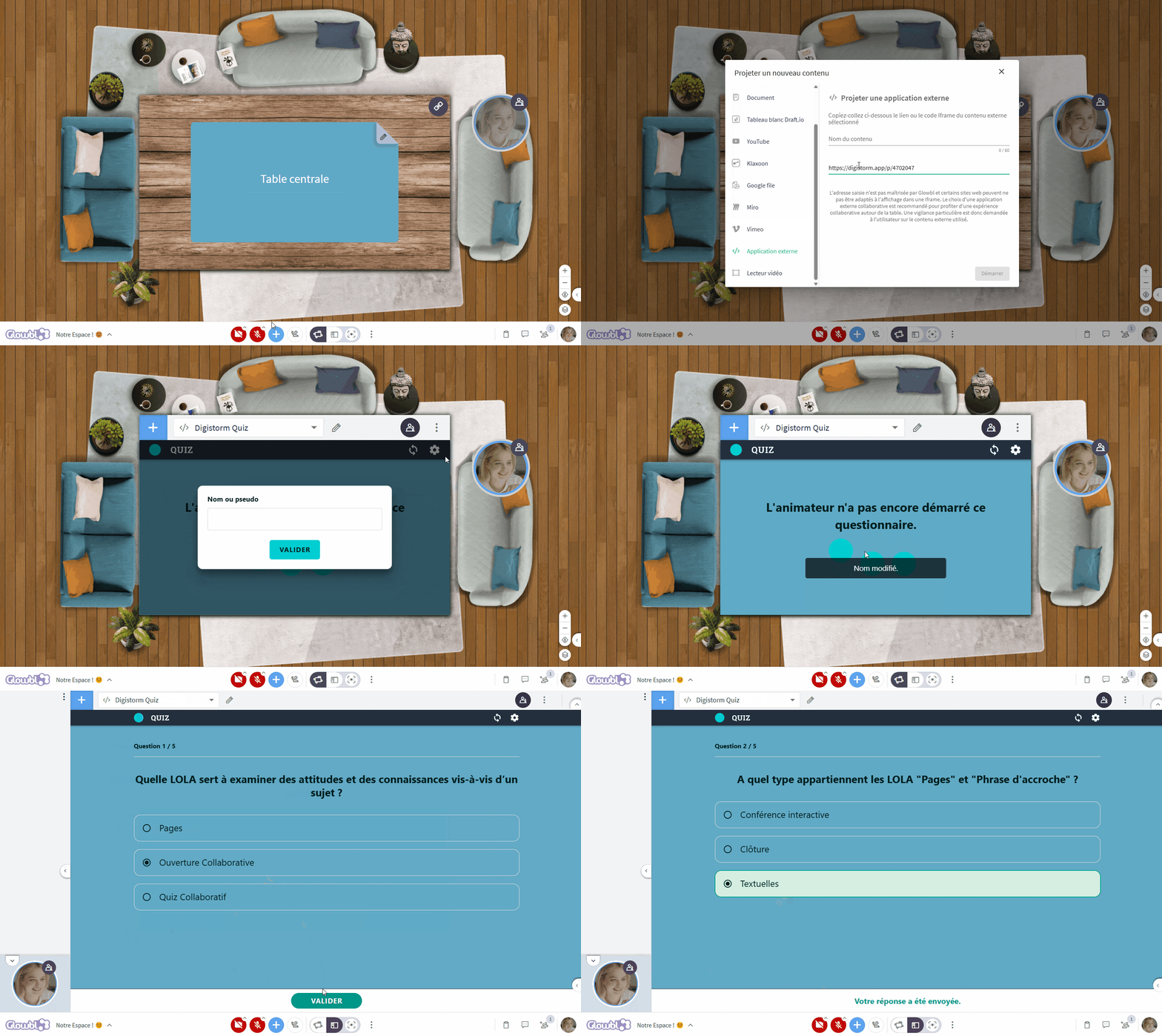
- Project the Digistorm questions onto a table in Screen Sharing from the Blue Plus. Display the QR Code in full screen by clicking on its icon at the top, so that participants can scan it with their phones and answer the questions. If the nickname option is enabled, you'll be able to display a podium of the highest scores.
- Or paste the participants link via External Application of the Blue Plus, participants enter their nickname and can answer directly without a phone. It's up to you to move on to the next question from your Digistorm host view.
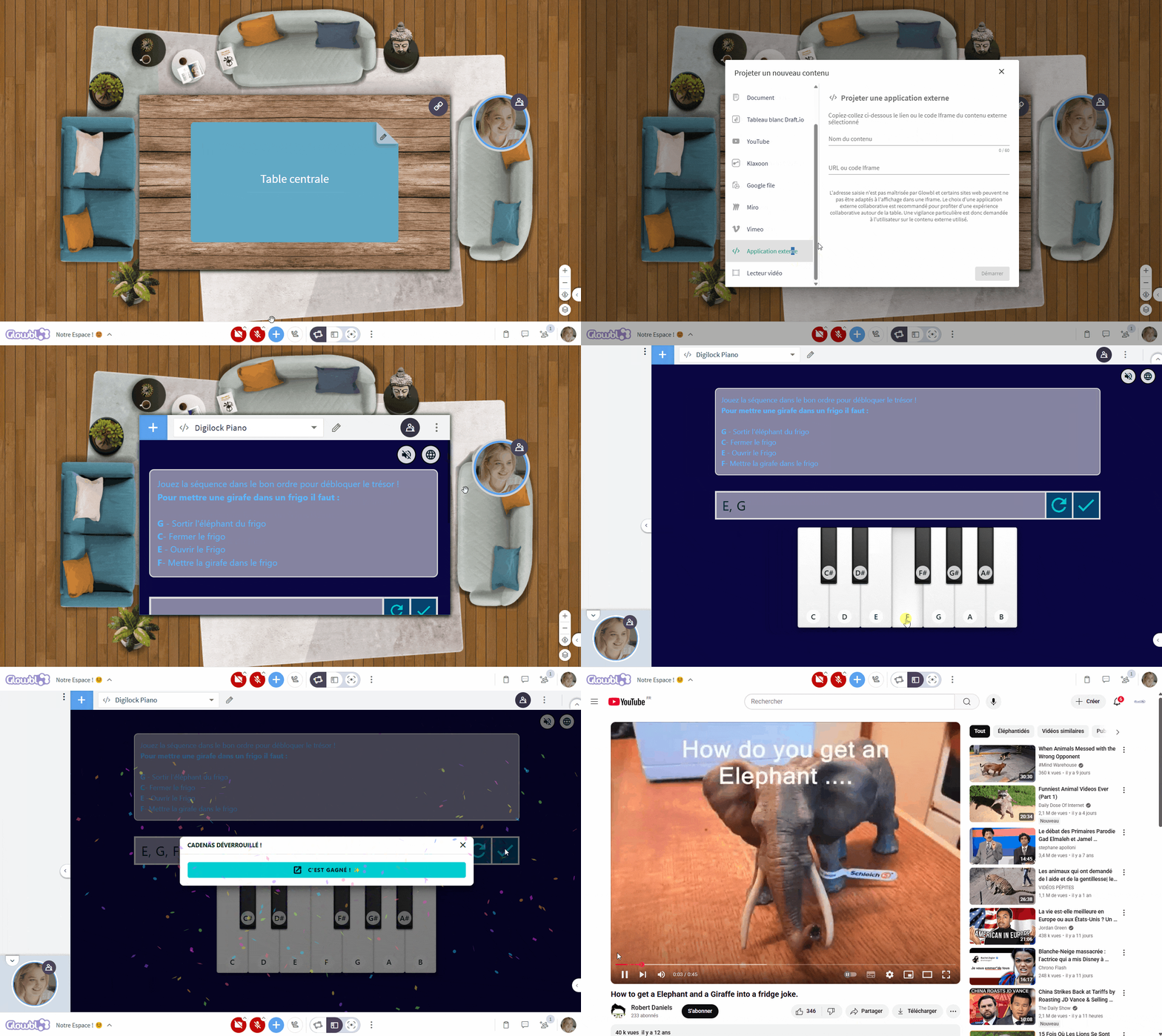
Copy the URL of your Digilocks, then paste it into External Application of the blue plus to display it on a table. 🚨 Digilocks are not synchronized, each participant must solve the puzzle to obtain the locked content.
🖼️
Digilocks are challenges designed to validate understanding and memorization of your training content. Numerous parameters enable them to be customized. In addition, a simpler 16ᵉ padlock, called a Safe, is accessible in the Digitools. All participants have to do is enter the answer to a question or problem in a dedicated field to try to open the safe and access what comes next.
Make it happen
Learning is all the more effective when participants don't just listen, but actively appropriate concepts by turning them into visual aids. In a Glowbl table, Digiboard and Digidesign offer two complementary approaches to enrich interactions and structure collective thinking.
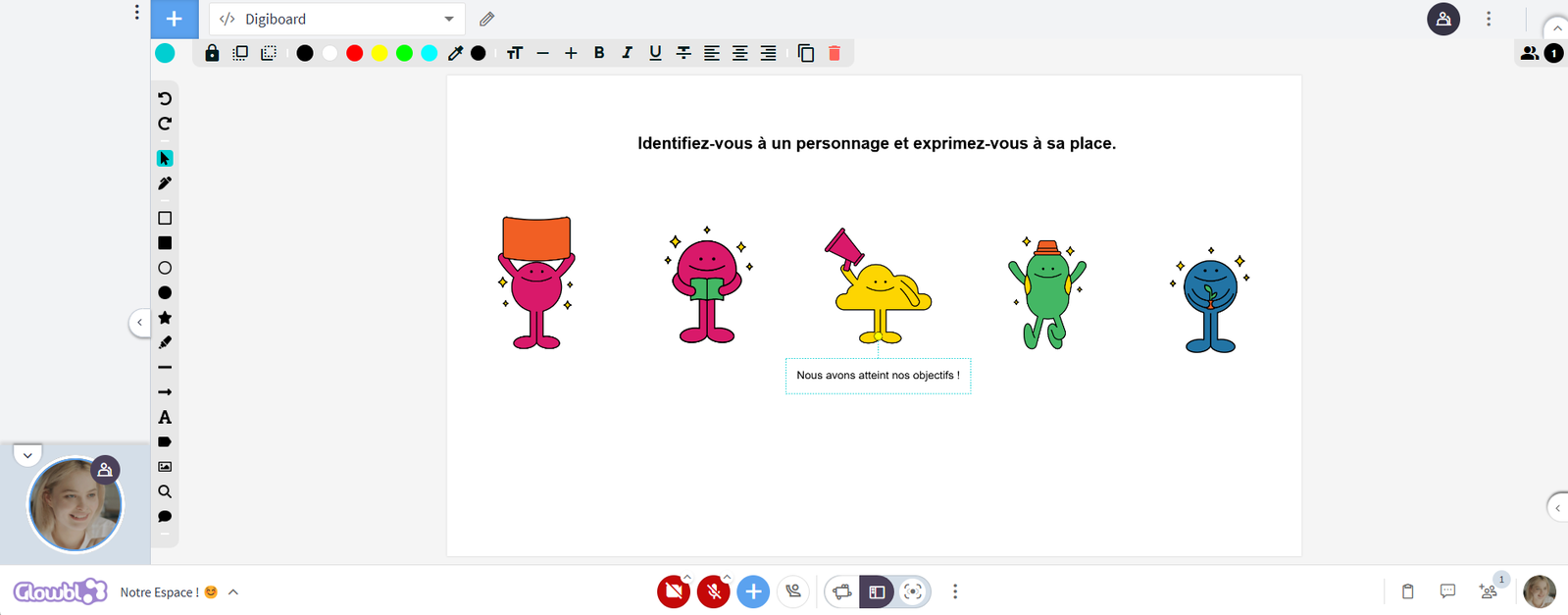
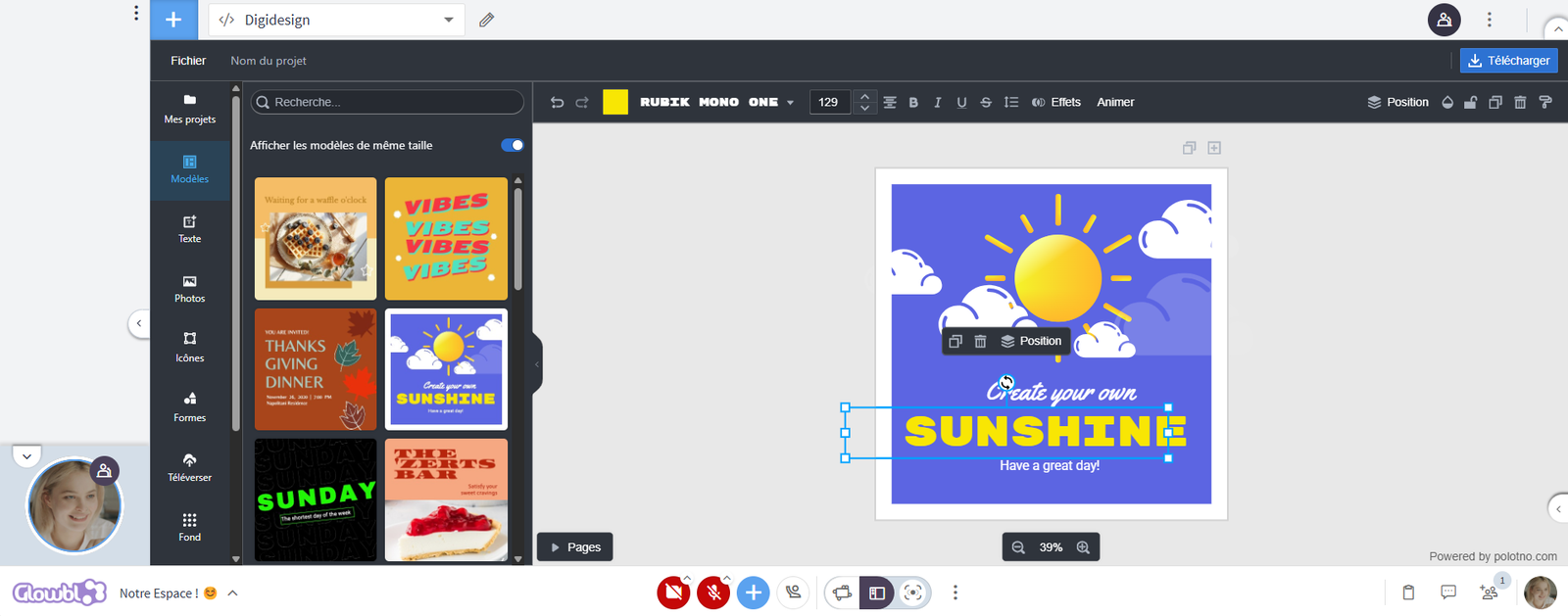
With Digiboard, groups can collaborate in real time on an interactive whiteboard, ideal for organizing ideas, building diagrams or co-creating synthetic posters. Meanwhile, Digidesign, an individual graphic design tool, enables everyone to create more elaborate visuals, such as a Mood Board to express a shared vision, or a Memory Wall to anchor learning.
These tools stimulate creativity, commitment and collaboration. By transforming ideas into shared images, they facilitate understanding, memorization and dialogue within groups.
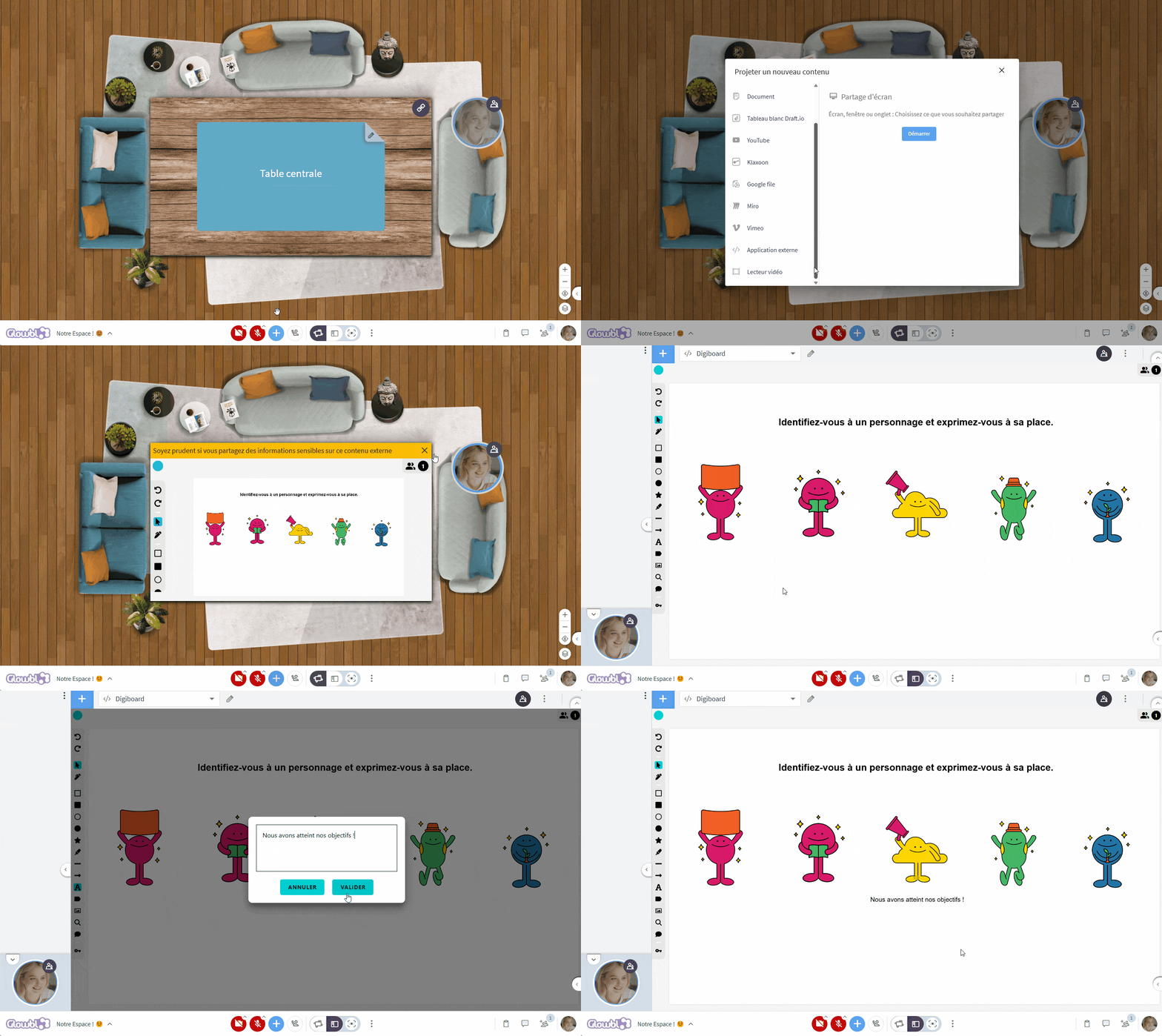
Copy the URL of your Digiboard, then paste it into Application Externe du plus bleu to display it on a table. Items can be created and moved by all participants working on a common project.
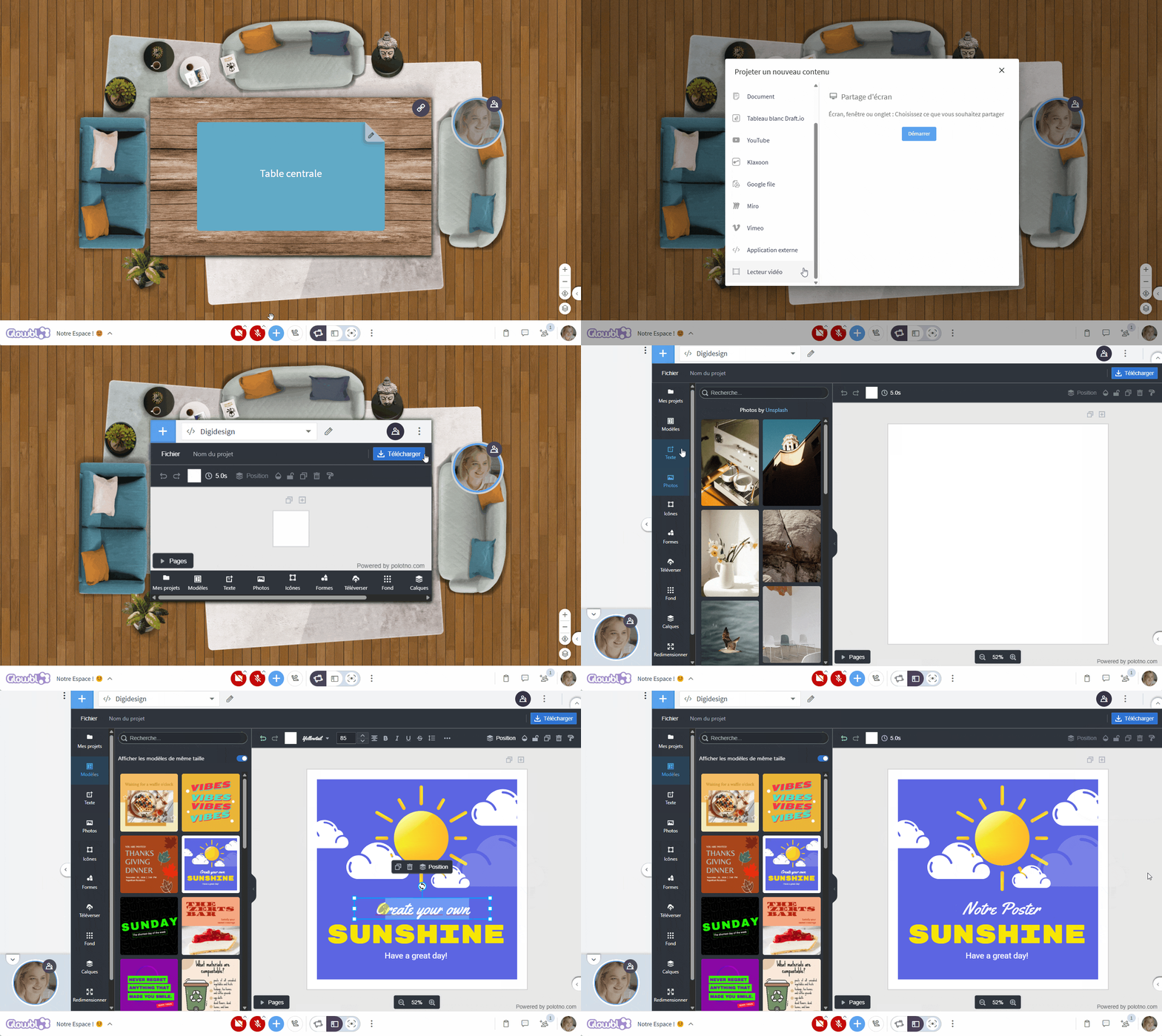
Paste the URL https://ladigitale.dev/digidesign/editeur.html into External Application to display it on a table. Several participants can be on the same table, but each is working on an individual project, invisible to the others.
Ask participants to retrieve their work by clicking on Download in the top right-hand corner of the Digidesign, then invite them to broadcast it to the table via Document du plus bleu at the bottom of their screen.

For inspiration, here are 5 activities that ask participants to create a poster or creative element:
- Description: Each group creates a poster summarizing its ideas, discoveries or proposals on a given topic.
- Why? This provides a visual summary of discussions and encourages collaboration.
- Benefits:
- Improves visual communication.
- Reinforces collective learning through sharing.
- Engages participants with different learning styles (visual, kinesthetic).
- Origin: Used in academic conferences and collaborative facilitation methodologies (e.g. Liberating Structures, participatory workshops).
- Ideal use:
- Agile retrospectives (e.g. sprint learning synthesis).
- Brainstorming and ideation workshops.
- Visual summary after a training session.
- Sharing the results of sub-group work during a seminar.
- Description: Creation of a collage of images, colors, words and materials to express an idea, a vision or a collective feeling.
- Why? It helps visualize an emotion or abstract concept.
- Benefits:
- Develops creative and emotional expression.
- Helps align visions in a collaborative project.
- Stimulates group dialogue.
- Origin: Used in design, marketing and graphic facilitation to visually express an idea or emotion.
- Ideal use:
- Defining a brand or project identity.
- Visualizing a corporate culture.
- Coaching or personal development workshops.
- Creating a team vision or collective project.
- Description: Participants create a poster or collective wall with drawings, keywords or photos illustrating their learning or memorable experiences.
- Why? This encourages reflection and the appropriation of learning.
- Benefits:
- Reinforces memorization of key points.
- Creates a collective object that can be shared.
- Facilitates an engaging workshop closing.
- Origin: Derived from Agile retrospective and visual facilitation techniques.
- Ideal use:
- Closing training sessions or seminars to anchor learning.
- Project or team retrospectives.
- Team-building events.
- Gathering feedback after a workshop.
- Description: A brainstorming session where participants draw ideas instead of simply writing words.
- Why? Encourages non-verbal exploration and intuitive thinking.
- Benefits:
- Stimulates creativity and visual thinking.
- Enables participants to express complex ideas in a simple way.
- Encourages spontaneity and experimentation.
- Origin: Inspired by graphic facilitation and Gamestorming practices.
- Ideal use:
- Break the ice at a seminar.
- Solve a problem through visual thinking.
- Help express complex ideas simply.
- Encourage creative expression in the workplace.
- Description: Participants design the cover of a magazine that would herald the success of their project in the future.
- Why? It helps project an inspiring and concrete vision.
- Benefits:
- Creates a motivating goal.
- Encourages strategic thinking.
- Promotes collaborative work and communication.
- Origin: Gamestorming and design fiction exercise used in strategy and innovation.
- Ideal use:
- Building corporate or project visions.
- Strategic foresight workshops.
- Team motivation and alignment.
- Clarifying project objectives.