Functionality available for: 🟢 Participants with specific rights 🔷 Facilitators 🟨 Administrators
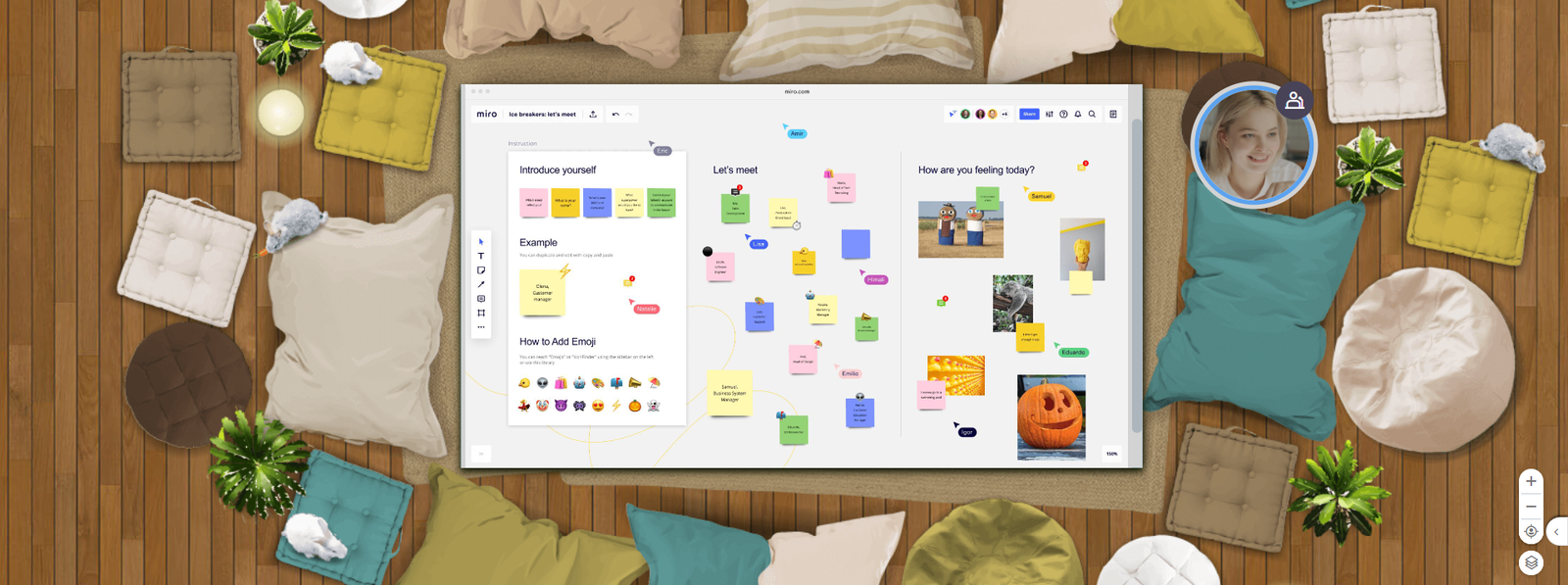
Miro is a visual collaboration platform designed to structure ideas, organize projects and facilitate teamwork. Directly integrated with Glowbl, it lets you work on your boards without having to open a new tab.
Participants stay at the Glowbl table, where they can add, move and modify post-it notes, create diagrams and collaborate in real time. Much more than just a digital whiteboard, Miro offers a host of interactive tools tailored to the needs of teams: mind mapping, wireframing, brainstorming, workflow management and much more.
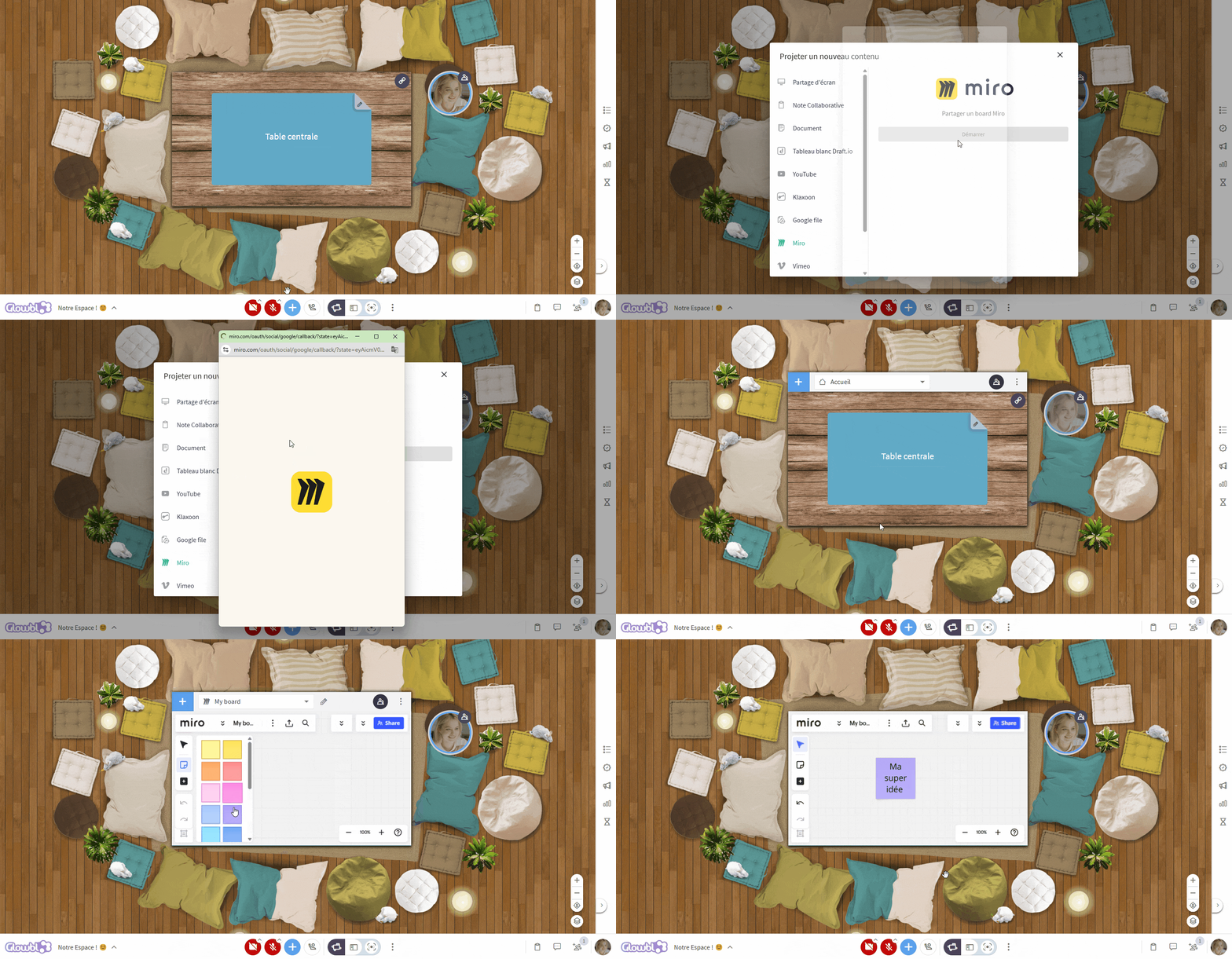
To project a Miro into a table, click on the blue plus at the bottom of your screen ➜ select Miro ➜ connect your Miro account ➜ choose the board to project or create one.

🔷 Facilitators and 🟨 Administrators, by creating a Sequence for your session, you can set up content in advance, including Miro boards , which will be projected automatically at the start of each step of it. No more searching for files during your animation!

The Board Miro does not load into the table for a participant? the latter must authorize third-party cookies in his or her browser.

- To find out how to share and navigate between different types of content using the Table Library, please consult
 Projecting and managing content.
- Two other whiteboard tools are integrated into Glowbl: