Functionality available for: 🟢 Participants with specific rights 🔷 Facilitators 🟨 Administrators
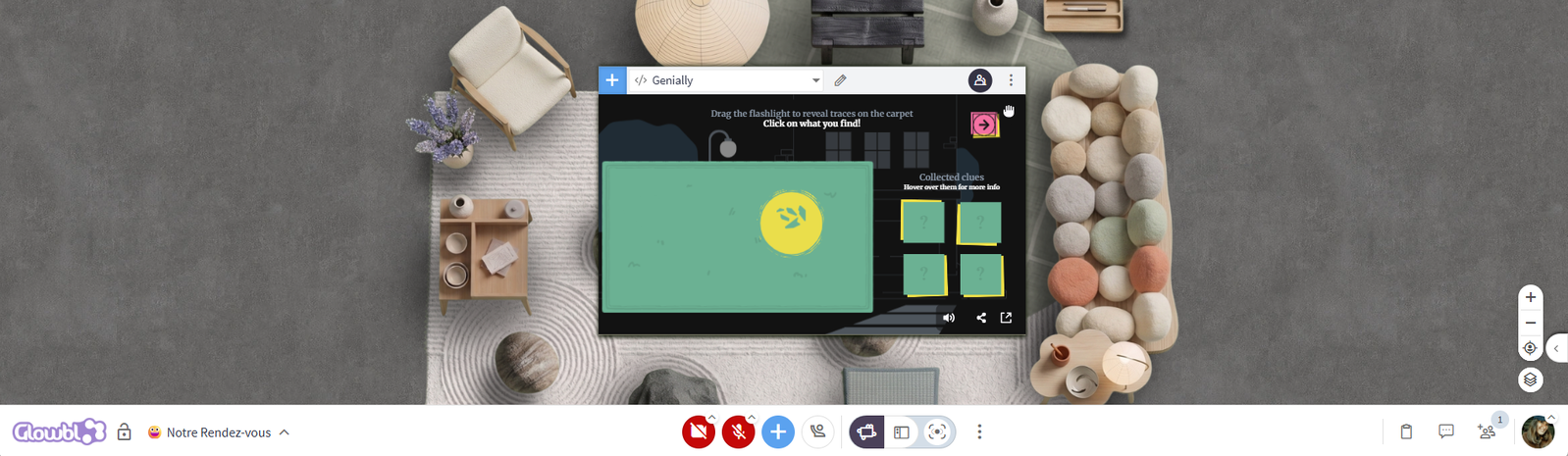

To understand how to share and navigate between different types of content using the Table Library, first consult the  Projecting and managing content page.
Genially  lets you create interactive, gamified training and communication materials. You don't need to know how to code to design fun, clickable experiences that participants will love.

Broadcasting a Genially on a table (unsynchronised view)
Unlike PDFs  and YouTube
 videos, Genially presentations are not synchronized accross all participants. This allows each participant to click through the document, answer quizzes, or start an escape game individually, directly from a Glowbl table. However, nothing stops you from putting participants into sub-groups so they can discuss the content while completing the activities at their own pace.

If you're using Genially for a presentation, consider sharing your screen  or launching a live presentation instead, so that all participants can follow your navigation in real time.
From Genially, retrieve the Iframe code for your presentation:
- Hover over your document
- Click Share in the top right corner
- Select the Insert tab
- Copy the Iframe code
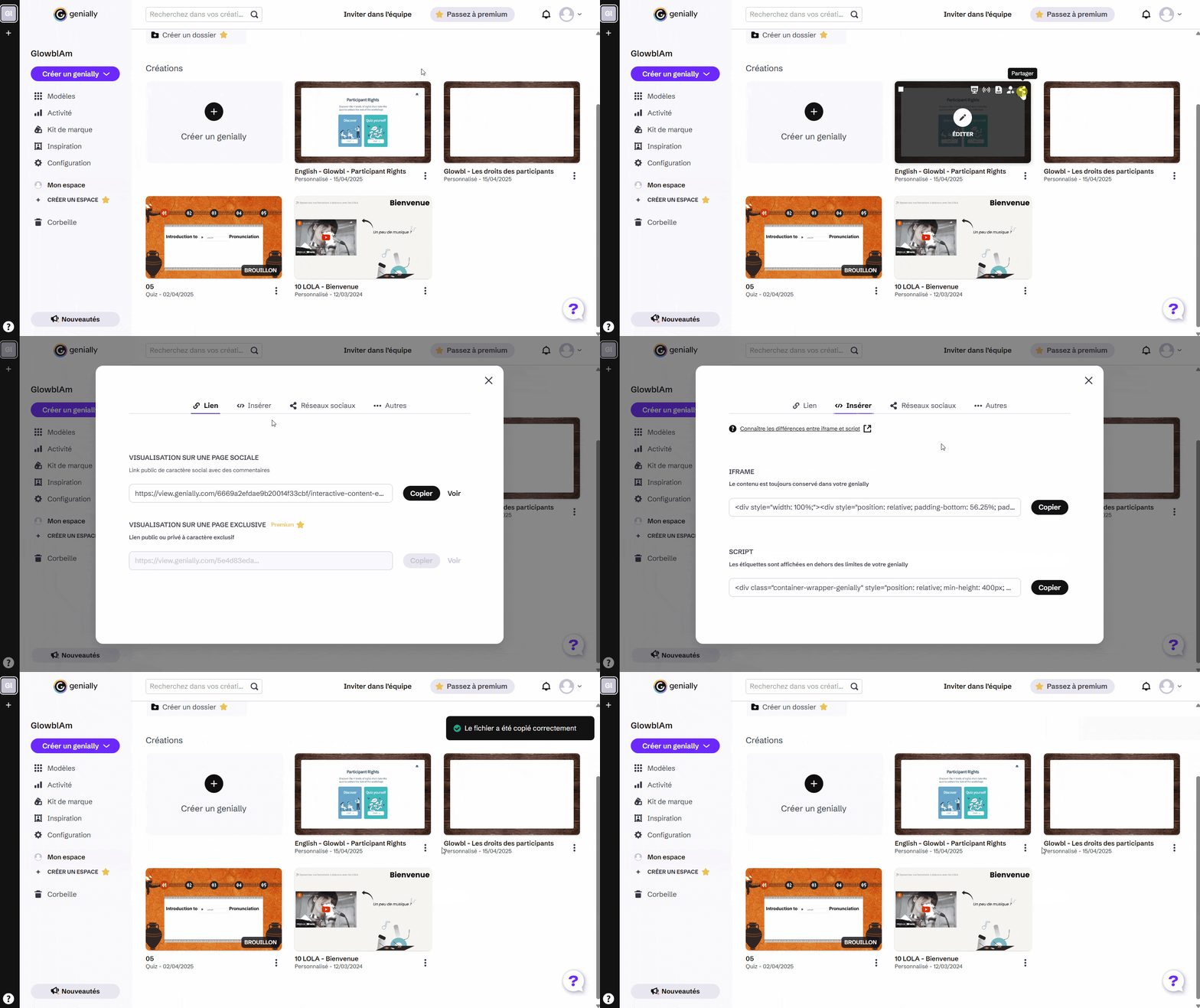
For better integration on Glowbl, we recommend using the Iframe rather than your presentation URL.
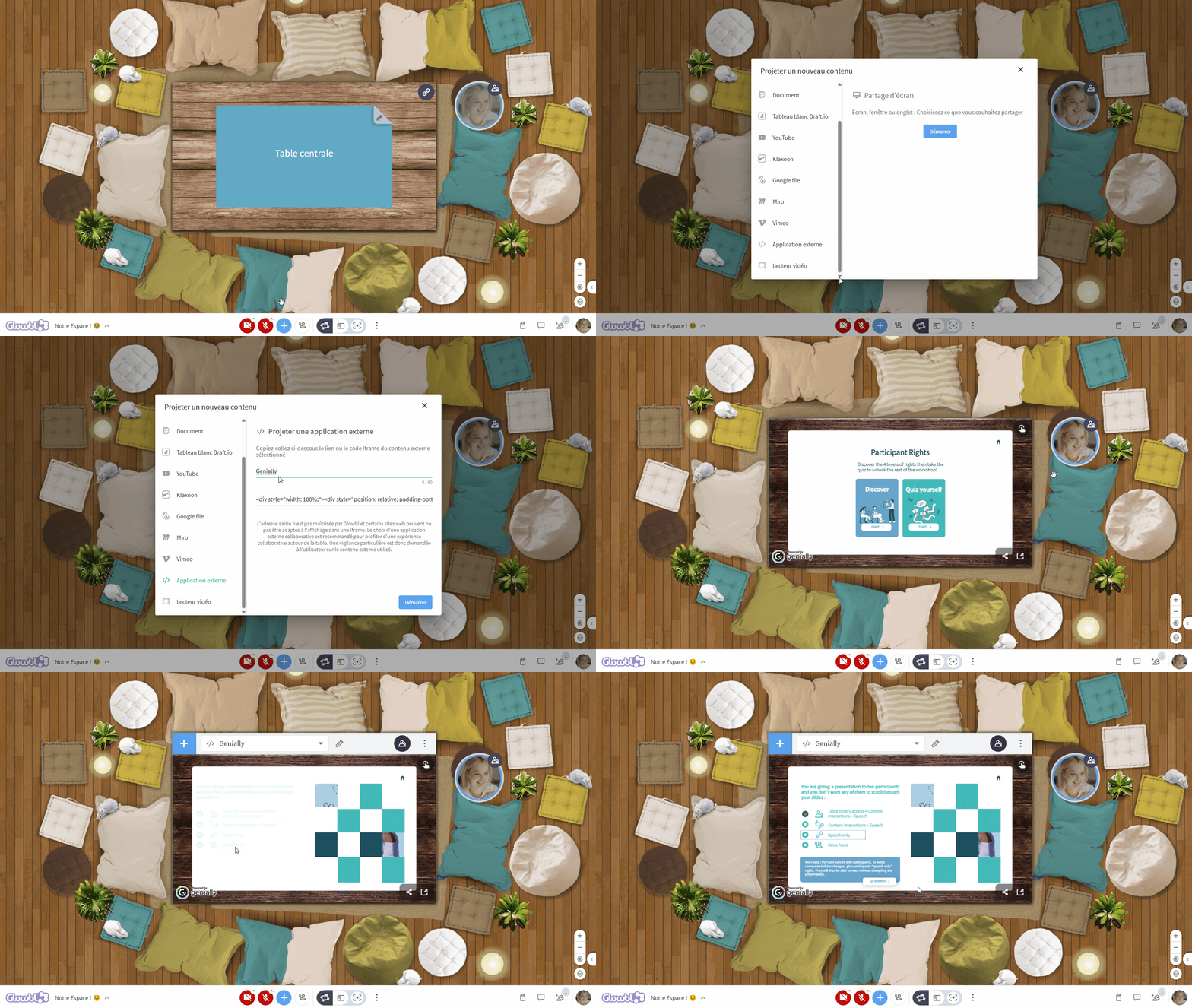
Then on Glowbl:
- Click the blue plus icon
 at the bottom of your screen
- Choose External Application
- Name the document and paste the Iframe code.
🔷 Facilitators and 🟨 Administrators, by creating a sequence  , you can set in advance the content, including your Genially , that will be projected automatically at the start of each step of your session. No more searching for your files during your animation!
Launching a live presentation (synchronised view)
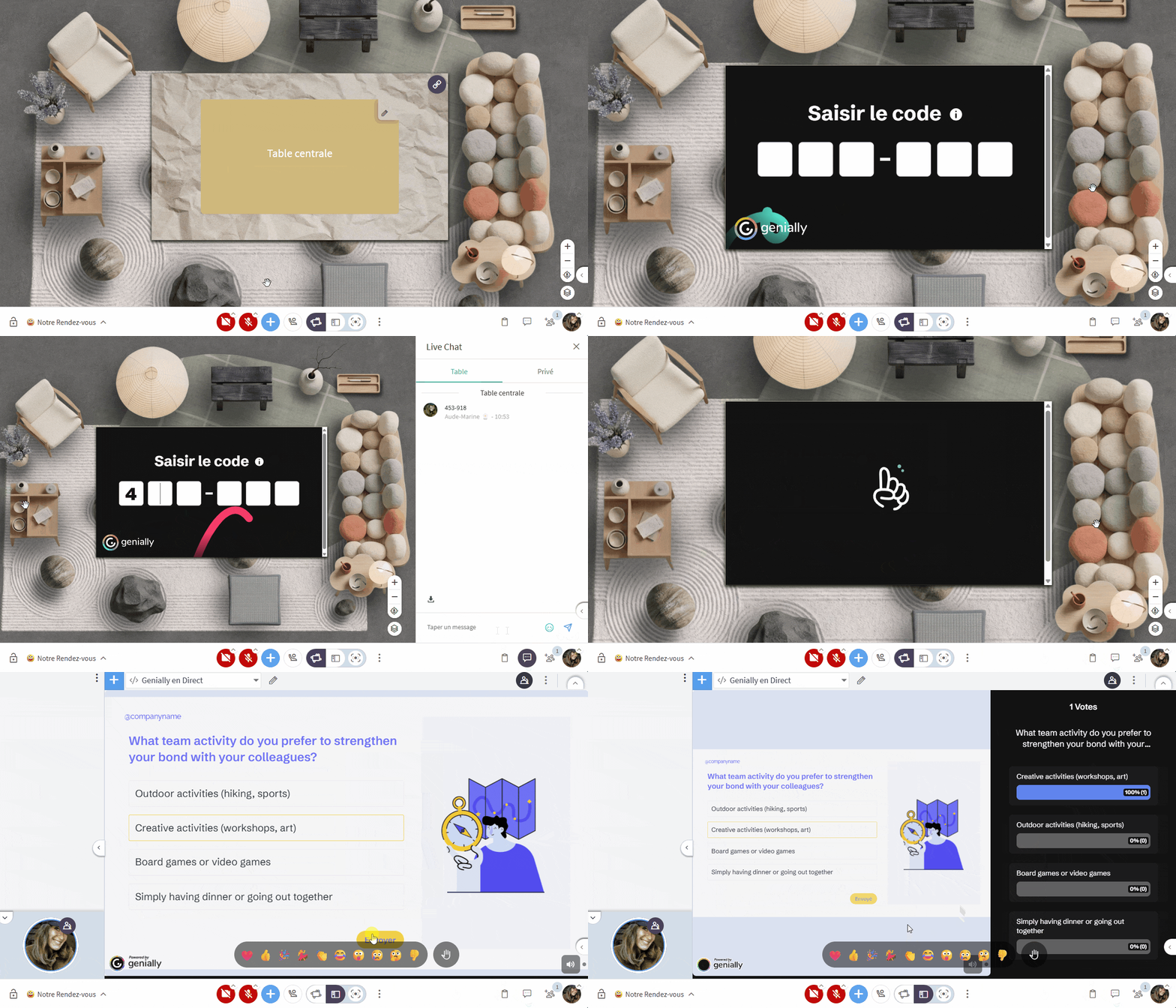
Genially's "Present Live" feature allows you to lead group activities, quizzes, polls, and Q&As, with the option to enable live results to display rankings and gamify the session. Participants only need to enter a 6-digit access code to play directly from the Glowbl table!
From Genially, launch the Live Presentation:
- Hover over your document
- Click Present Live
- Copy the session code
- Start the presentation
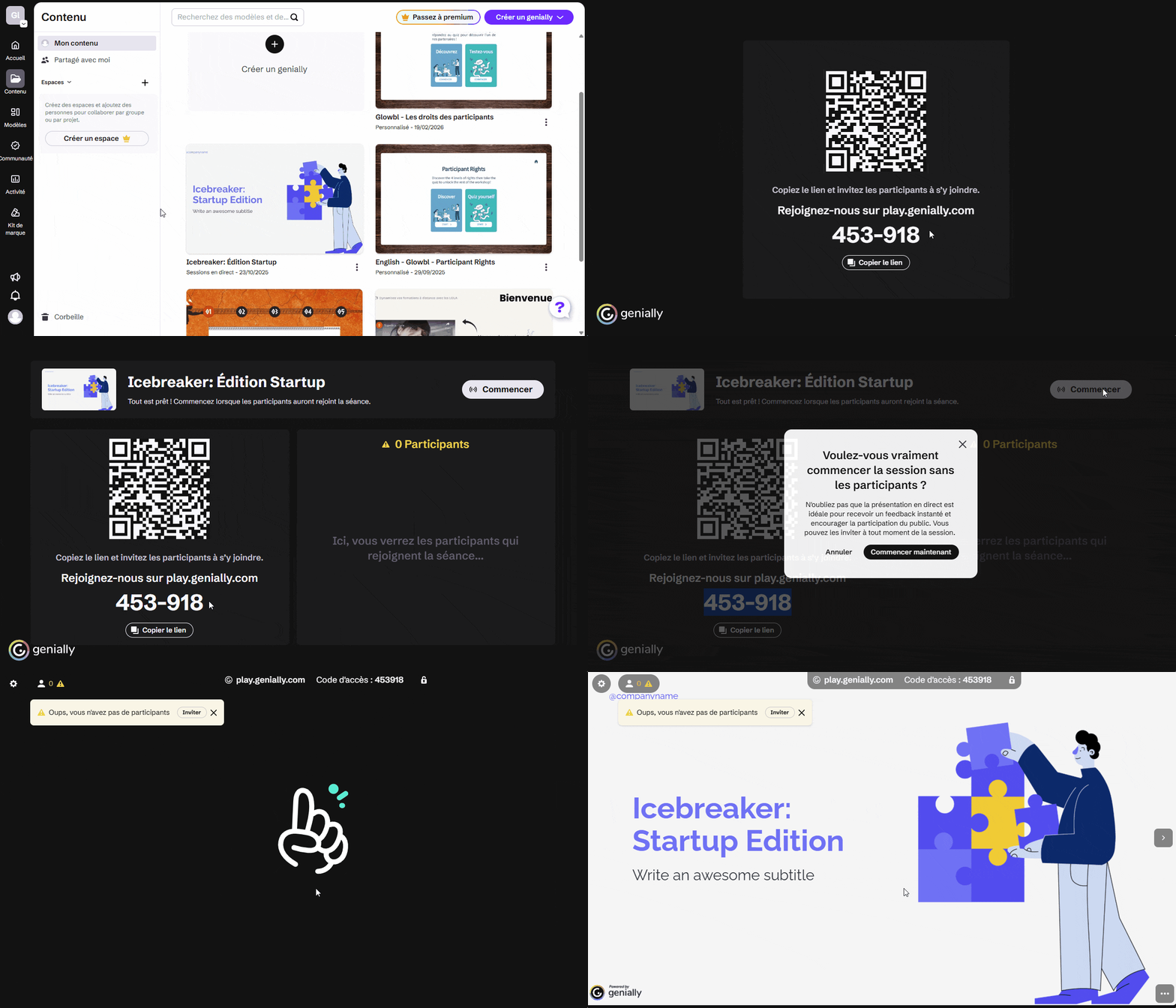
Then on Glowbl:
- Click the blue plus icon at the bottom of your screen
- Choose External Application
- Name your presentation and paste the link https://play.genially.com/
- Share the code with participants in the Live Chat

- Invite them to enter this code on the table