Feature available for : 🔷 Facilitators 🟨 Administrators

Create your first space
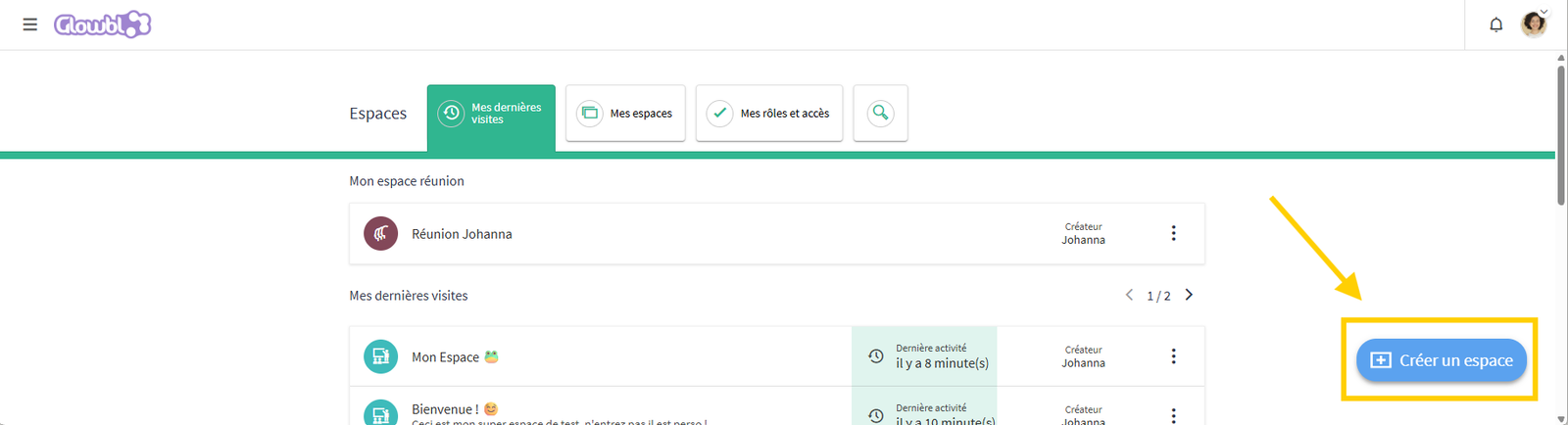
If you don't already have a space to carry out your session, contact your organization or create your first space from the dashboard by clicking on the blue button in the bottom right corner:
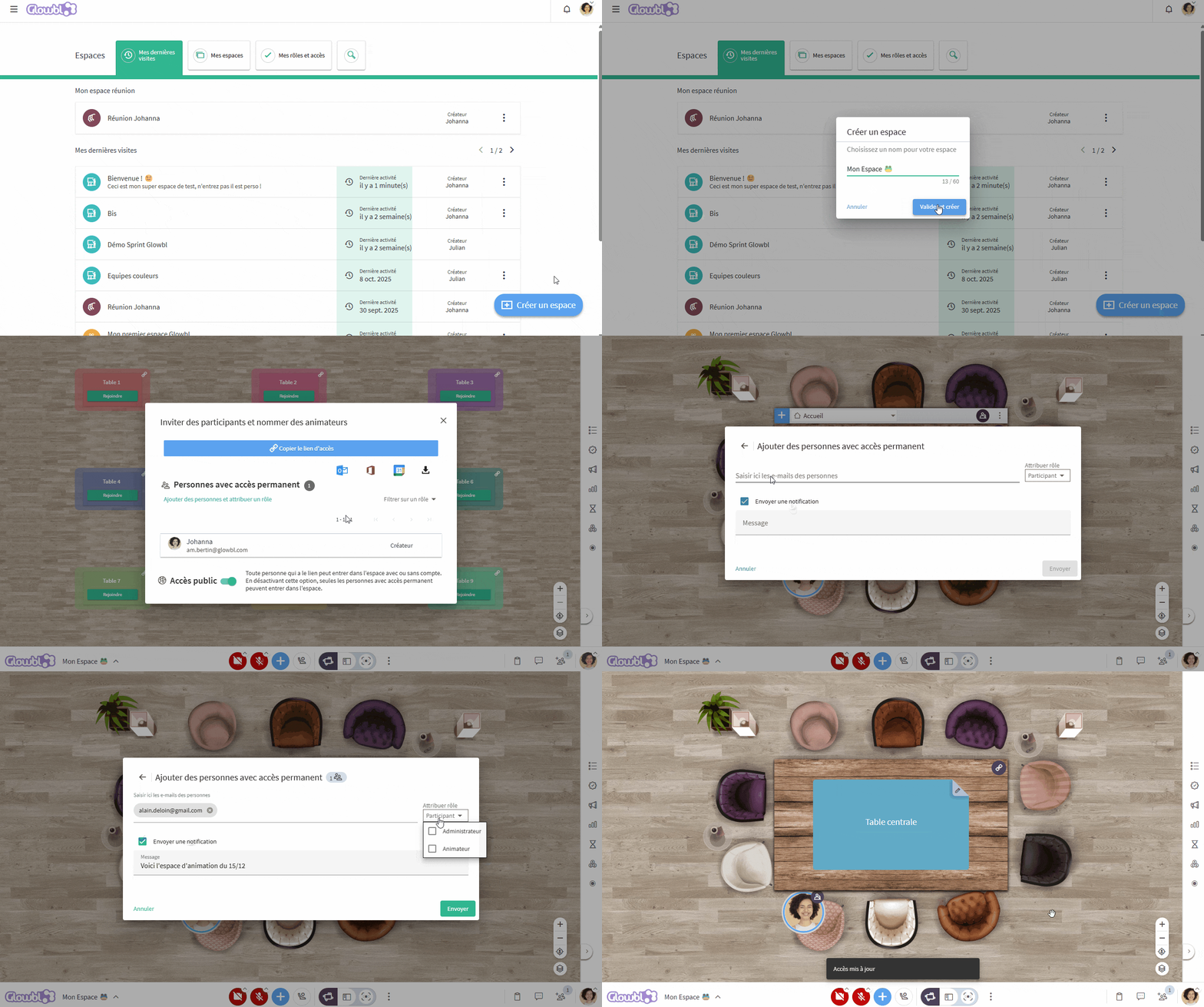
And there you go! You've just created a space! To make your life easier, when you open this new space we offer you the option to appoint your first facilitators  or to choose whether your space will be public (by default) or private.
You can always modify these settings or add facilitators later by accessing this window via the Participants  pan in the bottom right corner of your screen.
Personalize the space
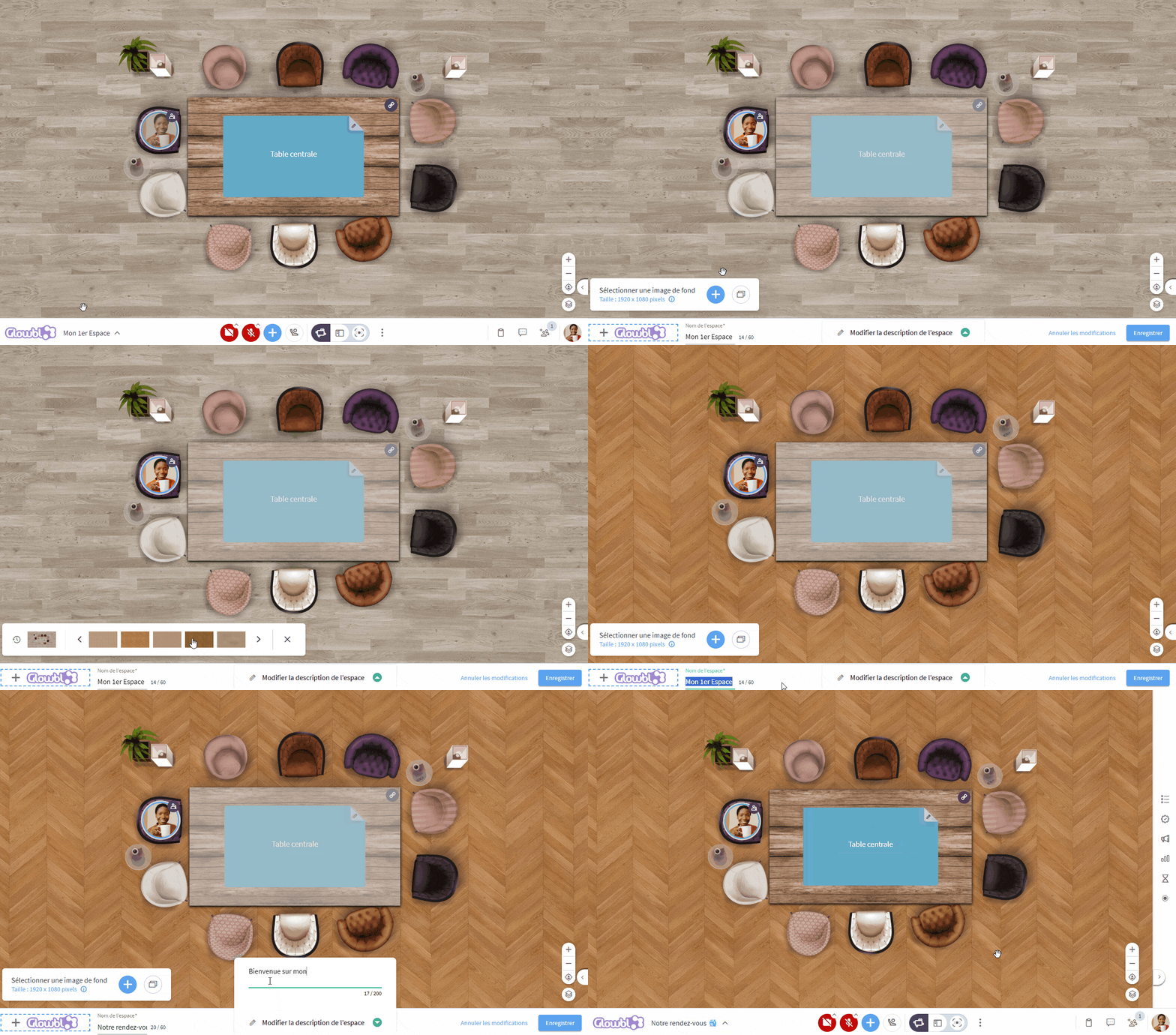
All you have to do now is personalize your space by hovering over its title in the bottom left corner:
- Modify the logo
- Change the space name
- Add a description to the space
- Change the background (floor, lawn, marble, personal background)
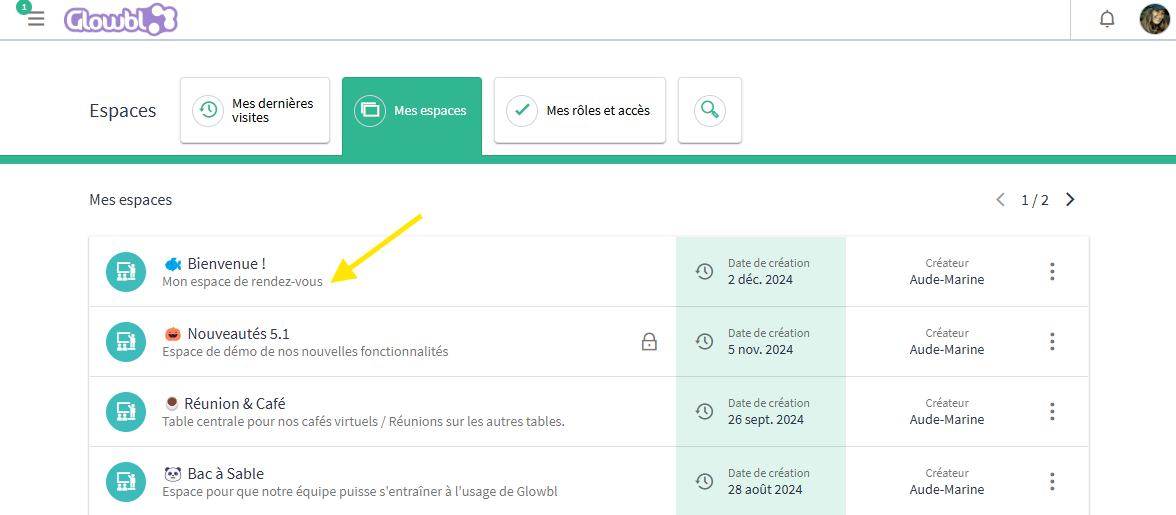
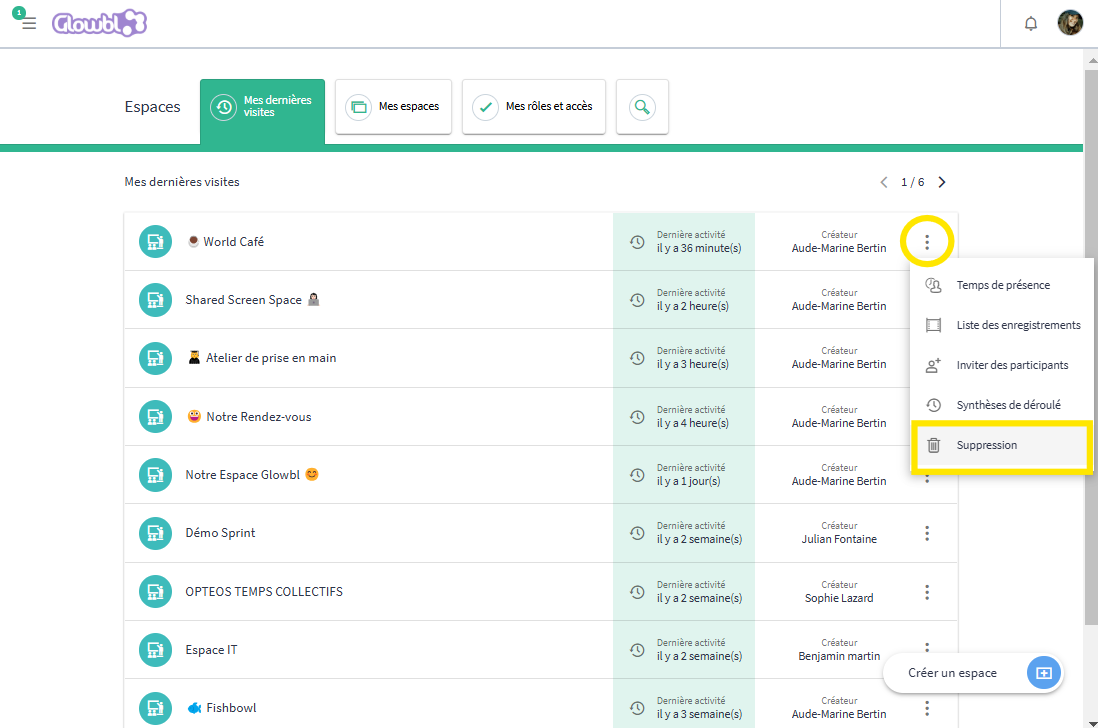
❌ Want to delete the space?
Go back to your dashboard, click on the three dots at the end of the line corresponding to your space and select "Delete".
Learn more about spaces
A Glowbl space is a perennial space: it doesn't disappear once the session is over, so you can return to it just like your participants. From then on, it's important to think about how you'll use this space.
We've identified 4 specific uses:
👃Handkerchief space: the space is created for a specific event and then deleted.
🔬Thematic space: one space = one objective. A space can be dedicated, for example, to your appointments or to a type of meeting (weekly).
👥 Cohort space: one space = one group. A promotion, a group of participants has a unique space link in which it will meet itself each time, over a more or less long period of time. An analogy can be made with a classroom in which it is the teachers who rotate.
📚 Resource area: Like a library, you can create an area where participants can meet outside your sessions to exchange ideas and practices. Leave some activities and resources accessible on the tables, or organize a standby service.