Feature available for : 🟨 Administrators
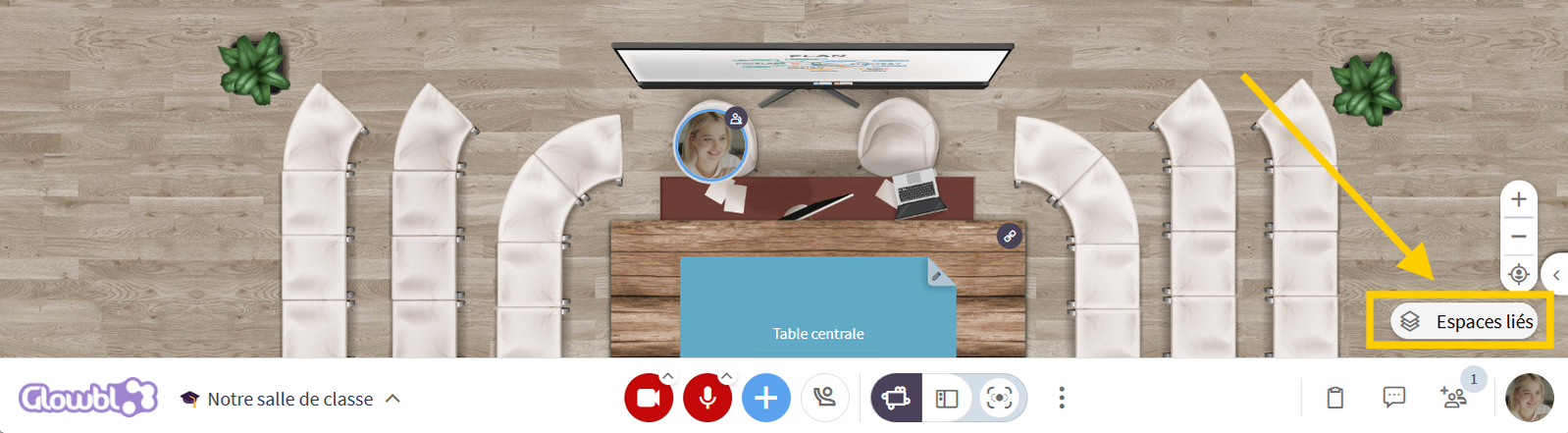
What if your classroom became a virtual campus? Imagine an environment where learning is no longer limited to a single training room, but extends to a truly interactive ecosystem. By linking different spaces, you offer participants the possibility of freely navigating between a synchronous training room and more informal areas, thus encouraging spontaneous exchanges and collaboration beyond supervised sessions.
With this approach, several uses become possible:
- Create a social space: A place where learners can meet before or after class, exchange ideas freely and reinforce group dynamics.
- Facilitate teamwork: Rooms dedicated to group projects or collaborative discussions, accessible at any time.
- Organize in-house events: Conferences, workshops, meetings with experts... a virtual campus goes far beyond the traditional training framework.
- Reproduce the life of a school: By integrating spaces dedicated to educational services, guidance or even relaxation, you create a vitual immersive experience that ressembles real life.
Connect spaces
To link spaces :
- Copy the Access Links of the spaces you wish to link.
- Enter in one of the spaces.
- Click on the Linked Spaces icon (bottom right, below the zoom buttons).
- A window opens, click on Modify.
- Paste the links of the spaces you wish to add.
- Once the list is complete, click on Copy list.
- Repeat the operation for each space: enter the space, open Linked spaces click on Modify, then Paste the list of spaces.

Once the spaces have been linked, participants can simply click on the Linked Spaces icon, and select a space from the list to quickly navigate between them. As a facilitator, you can also choose to share a single access link: participants save it in their favorites and, from this space, easily access the others without having to manage several links.
For more information, please visit  Navigate between linked spaces

The Navigate between linked spaces tutorial is available on the I'm a Participant page, which you can send in advance of your session.