Feature available for: 🟢 Participants 🔷 Facilitators 🟨 Administrators
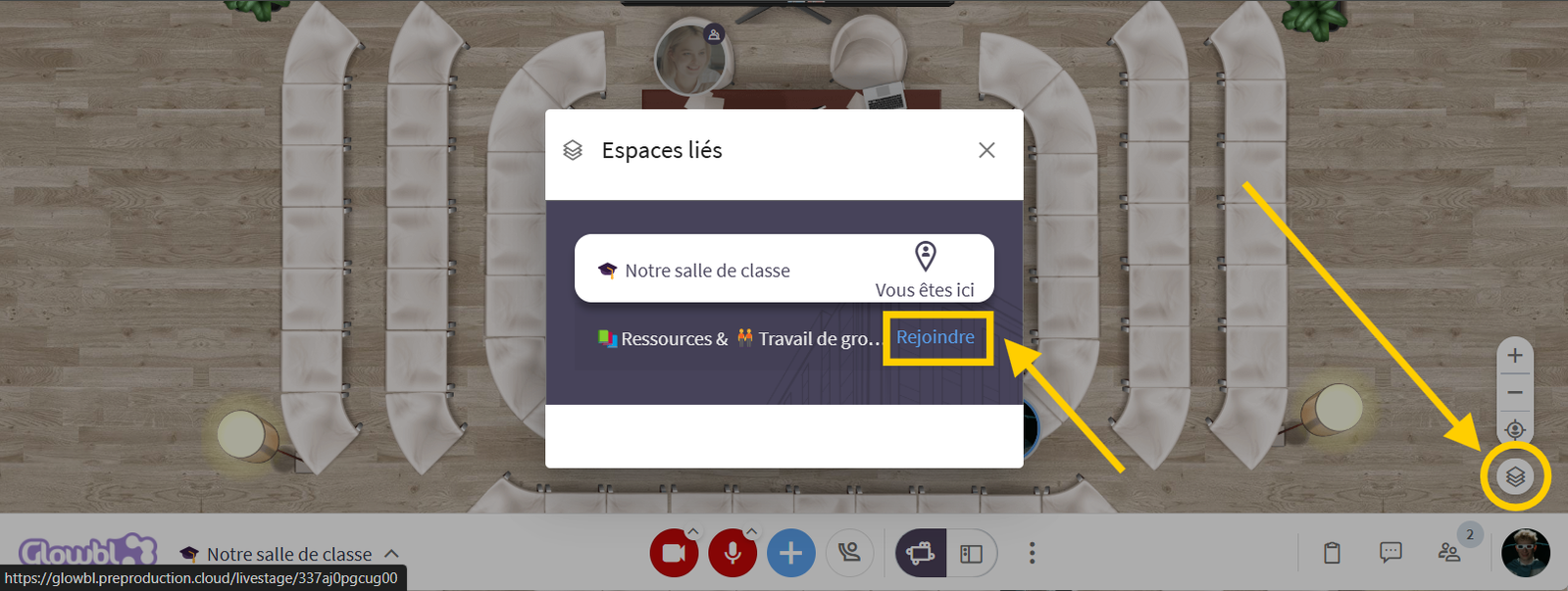
The Linked Spaces feature allows you to move easily from one space to another without having to manage multiple links. Once spaces are connected, you can navigate with a single click from a single entry point.
The host can share a single link, which you can then add to your favorites to easily find all the spaces without the risk of getting lost.
Access linked spaces
Enter a space ➜ Click on the Linked Spaces icon (located at the bottom right of the screen, below the zoom/unzoom buttons) ➜ A list of linked spaces appears ➜ click on the name of the desired space to access it immediately.


You are 🟨 Administrators and want to connect spaces to each other? Go to page:
 Link spaces