
Feature available for: 🟢 Participants 🔷 Facilitators 🟨 Administrators
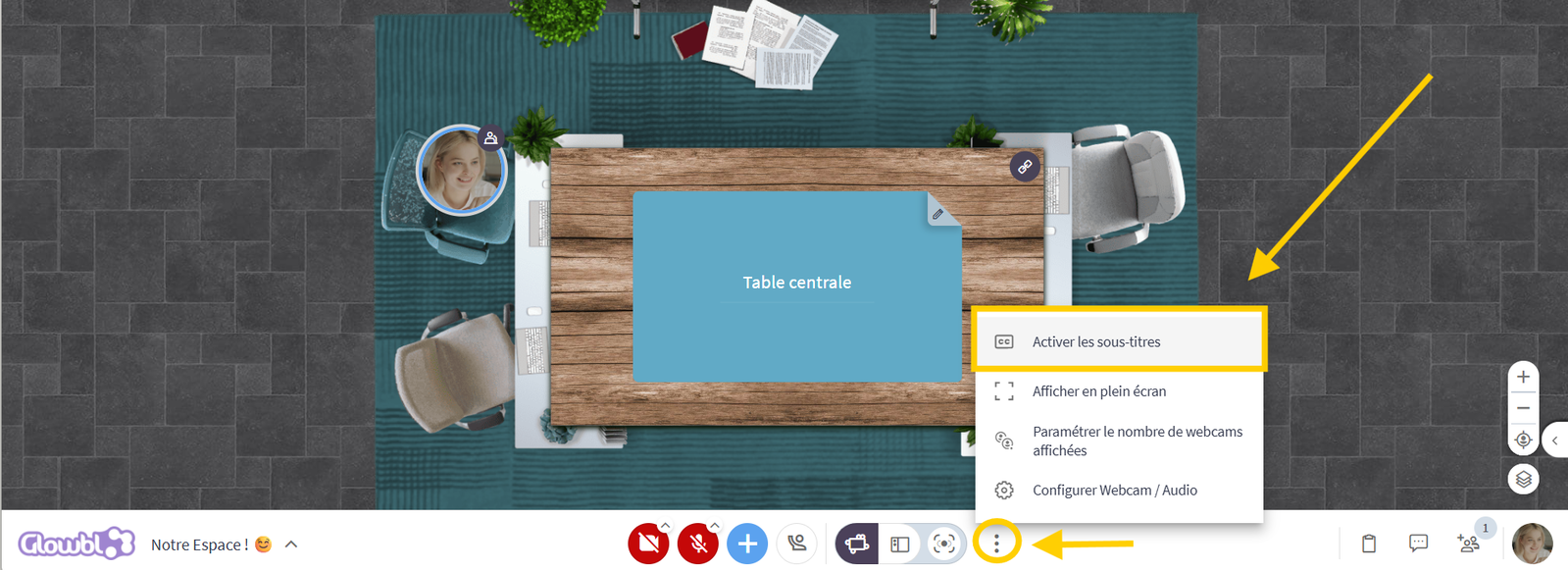
If you have difficulty following the exchanges, you can activate subtitles.
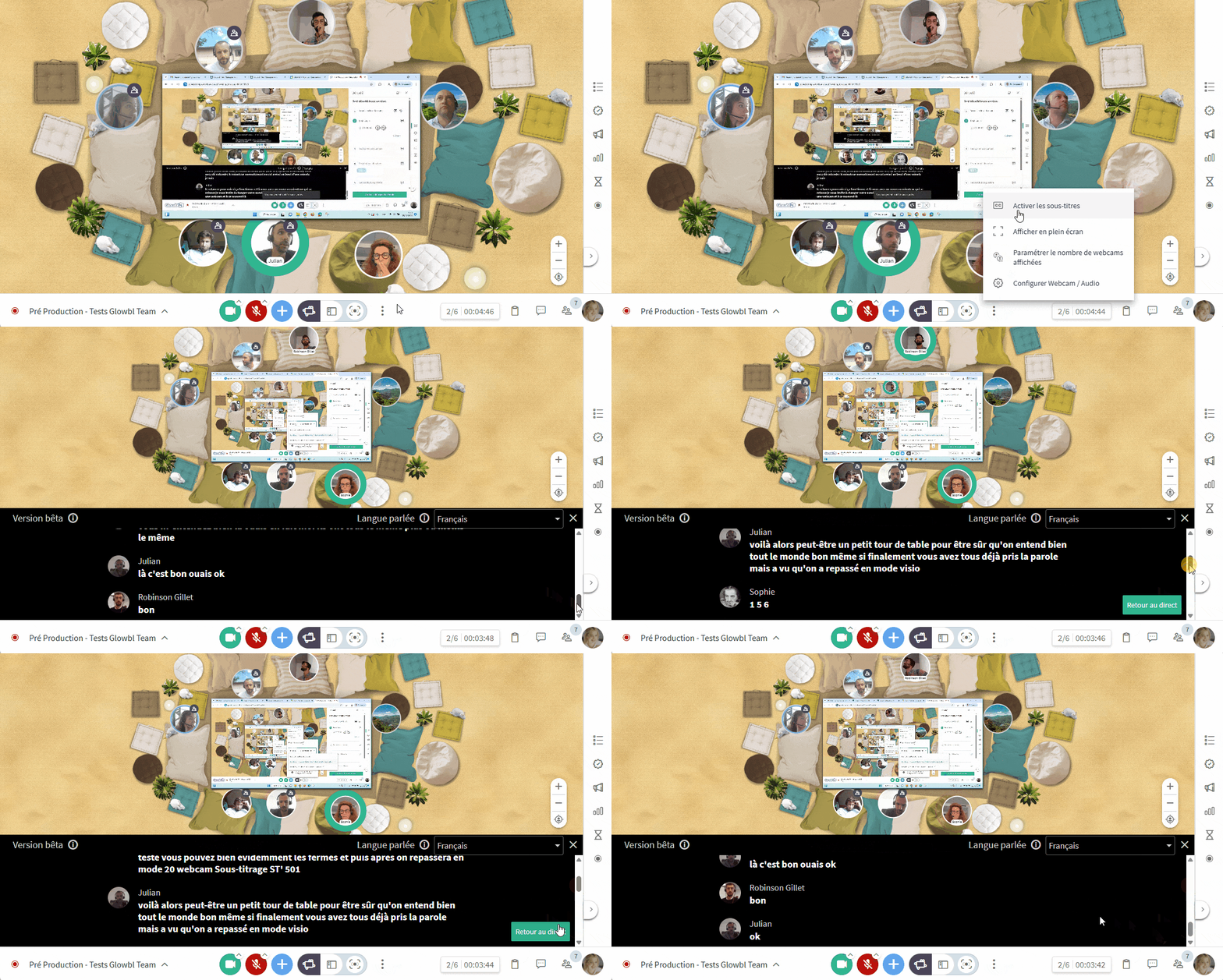
Click on the 3 dots to the right of Display Modes at the bottom of your screen ➜ select Enable subtitles. Don't forget to select the language spoken during the session.

You may also be interested in this page:
 Record the session: video / transcription