Feature available for: 🔷 Facilitators 🟨 Administrators

Simply taking part in an event on Glowbl? Check out this page:
You're independent...
Subscribe to one of our offers from our Pricing page then follow the account creation information.
...or an employee/extern of an organization using Glowbl
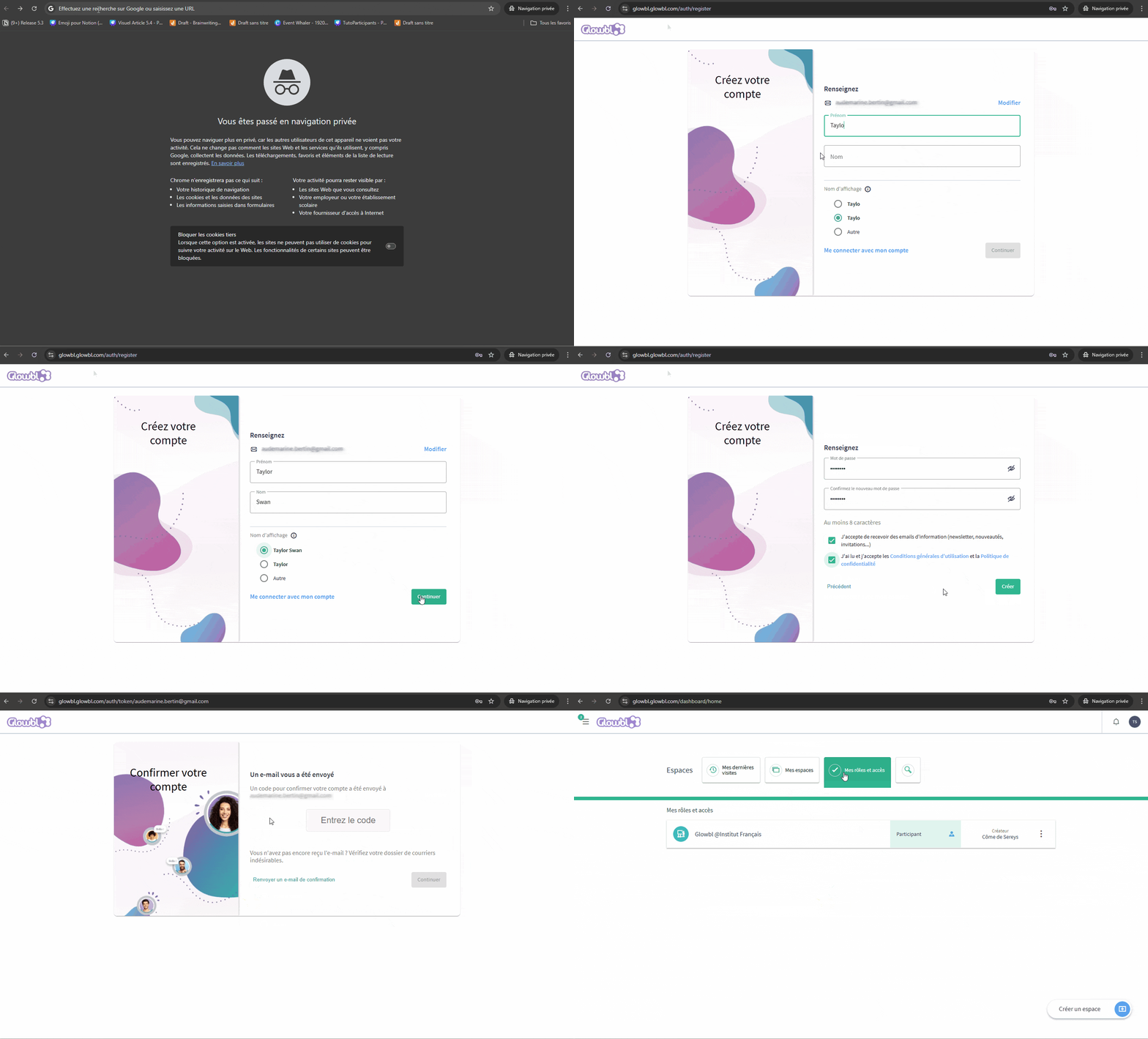
Your company has sent you the link to its Glowbl organization on the CompanyName.glowbl.com template. We recommend that you save it in your favorites.
- Click on the organization's link, then on "create an account".
- Enter your business e-mail address, fill in your name and set a password
- Copy/Paste the verification code from your mailbox
- Welcome to your Glowbl dashboard!

Don't hesitate to take a look at all the resources in our Help Center!